
On your phone? Outscore is a Chrome extension, so it runs on a computer. Get the link by email and open it there.
LinkedIn has no API that feeds a CRM, so every tool in this category reads what is on your screen and writes to HubSpot from your browser. The differences are in what gets written, whether it is deduped, whether you or the tool decides who goes in, and whether anything happens on LinkedIn without you. Outscore’s answers: standard properties only, deduped by LinkedIn URL and email, you decide, and nothing is sent on LinkedIn for you.
Key facts
| Question | Answer |
|---|---|
| How does it connect to HubSpot? | A service key you create once in your own HubSpot account, guided on HubSpot's own page. The key stays in your browser. Works on HubSpot's free CRM. Can't create one? Ask my admin, or connect read only with your own personal key. |
| What HubSpot permissions does it use? | Contacts read and write, owners read, and optionally companies read and write, deals read (shown on the company, read only) and sales-email-read. Notes, tasks and LinkedIn-message activities need nothing extra. |
| How are contacts matched? | By an email it already has, then the LinkedIn URL (a dozen spellings), then a choice you saved. A name alone only triggers a question. |
| Does a push overwrite HubSpot data? | No. Fill empty CRM fields only is on by default, so a field you already filled stays. The LinkedIn URL is always set, and an existing owner is never replaced. |
| How are conversations stored? | As one LinkedIn-message activity per message with its real time, or as notes. HubSpot's MCP server reads notes and does not list LinkedIn messages (checked 14 October 2026). |
| What does it do on LinkedIn by itself? | Nothing, except withdraw an invitation you pick when you press Withdraw. It never sends invitations or messages. |
| How many people are free? | 10 per install, for life, plus 3 more whose conversations you can log as a try-out. Then Pro: $10 a month, billed yearly, or $15 month to month. |
Sources: HubSpot’s deduplication rules (contacts by email, companies by domain), communications API (LinkedIn messages as a communication channel) and remote MCP server (which activities assistants can read). Everything else is Outscore’s own behaviour, checked in the shipped code.
What goes from LinkedIn into HubSpot?
1. A person, as a contact
Press Add to HubSpot on the card that appears on their LinkedIn profile. It works on anyone, connected or not, pending invitations included: one press adds them to Outscore and to HubSpot. The arrow beside the button offers Track in Outscore only for someone you want to follow but keep out of HubSpot. People you already track have Push to HubSpot in the side panel, in the dashboard drawer and on their row in the People list. From a conversation, the bar above the message box offers Push and log to HubSpot.
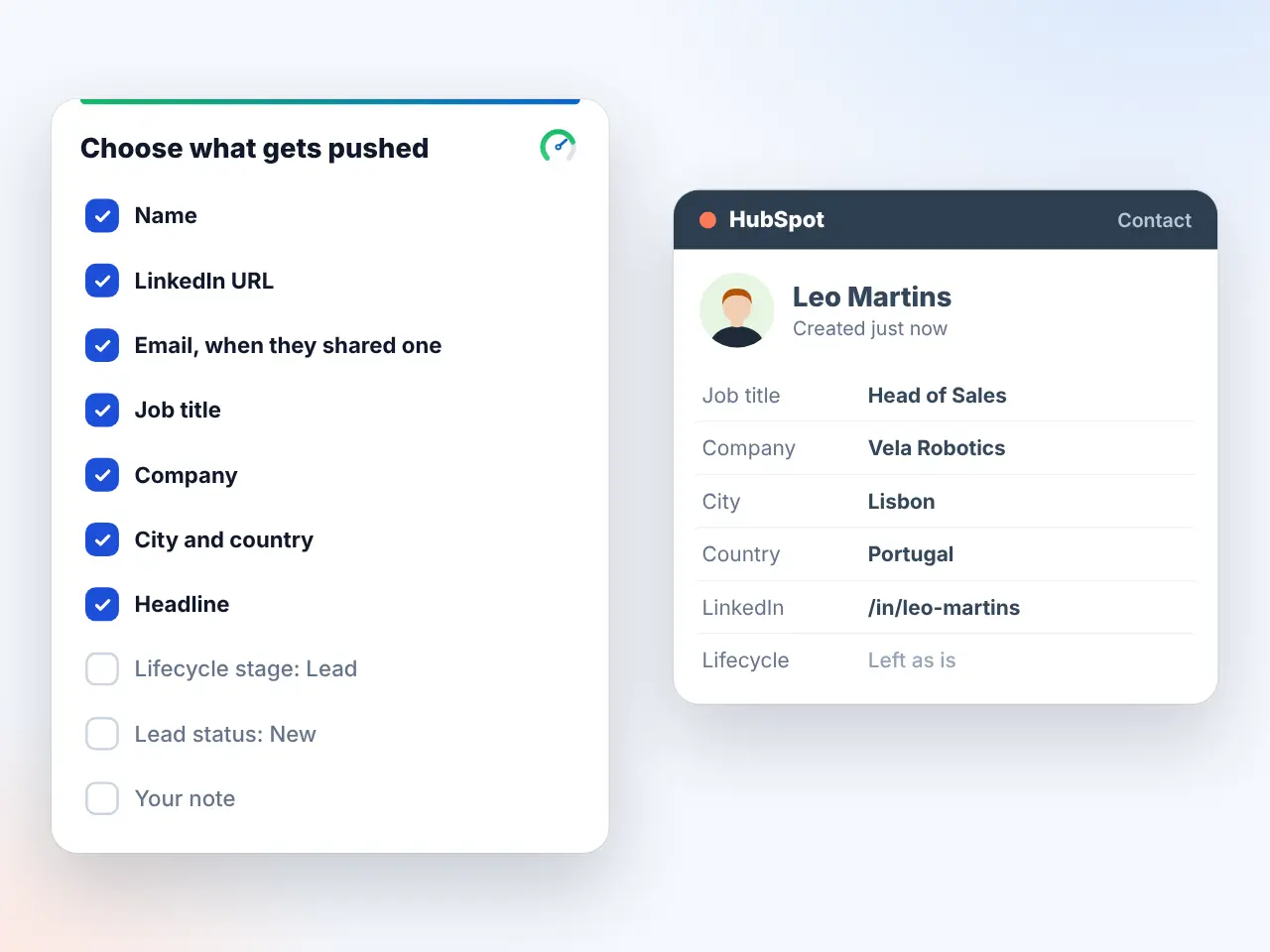
| Field | On by default? | Note |
|---|---|---|
| Name, LinkedIn URL | Yes | LinkedIn URL is the matching key and is always written |
| Job title, Company | Yes | The company is found or created and linked to the contact |
| City, Country | Yes | From the profile |
| LinkedIn headline (bio) | Yes | |
| Email, Phone | Yes, when your connection shared one | Never looked up or bought |
| Owner | Always | You, or the owner you picked when connecting |
| Birthday (as shown, no year) | No | |
| Lifecycle stage: set to Lead; Lead status: set to New | No | Off so your own workflows are not triggered by accident |
| Your Outscore note | No | Added to the timeline note when on |
Every pushed contact also gets one timeline note with the connection history: whether you sent the request or they did, when it was sent and accepted, and the invitation note if there was one. The field picker is in Settings, HubSpot, Fields selection.
2. Only one record per person
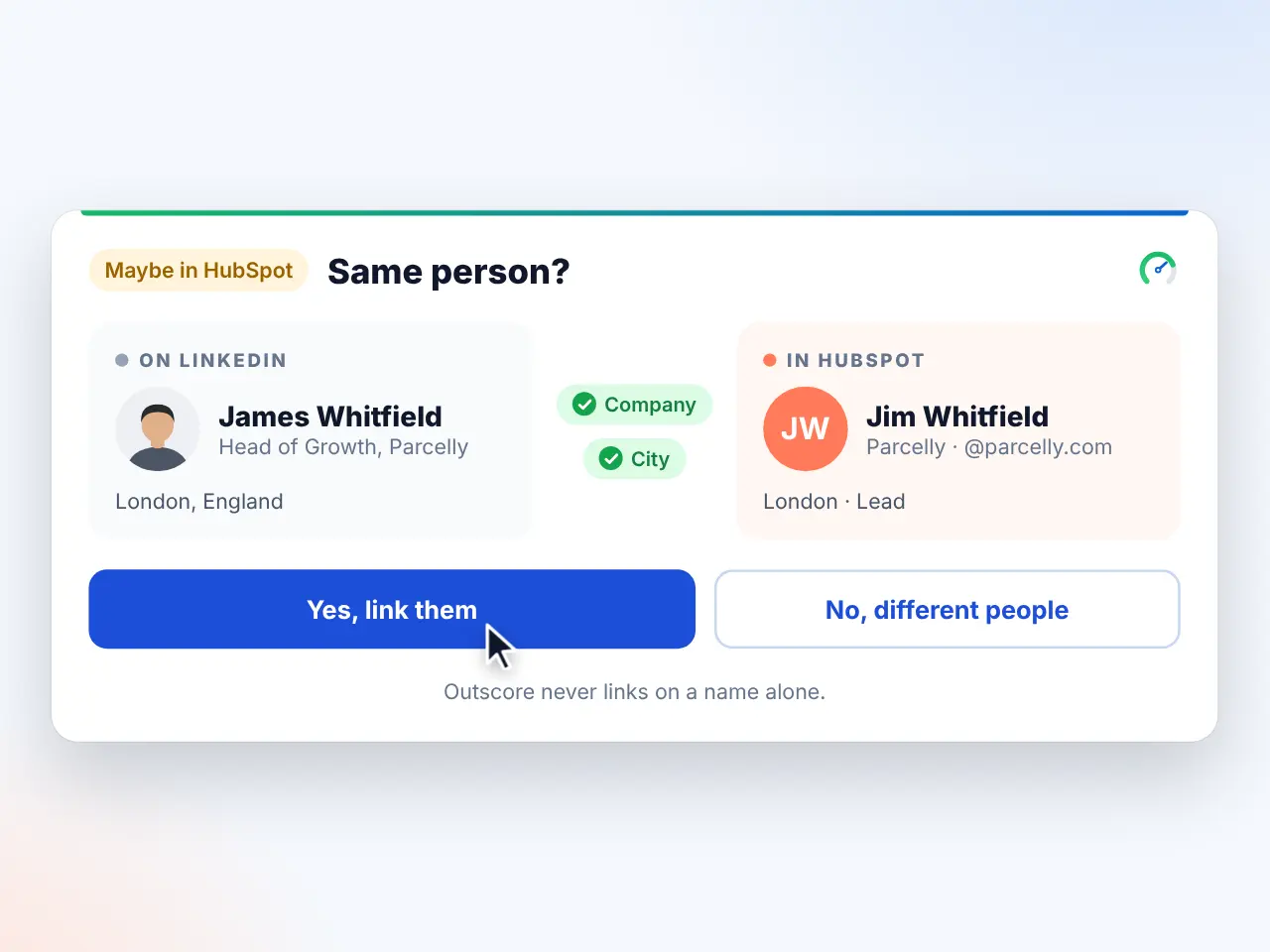
Before creating anyone, the push looks for them in this order: an email Outscore already has, the LinkedIn URL in a dozen spellings, then a choice you saved earlier. If one to three records share the name and nothing else, it asks Same person? rather than guessing. Fields you already filled in HubSpot stay as they are. The full story is in why LinkedIn to HubSpot creates duplicates, and how to stop it.
3. A conversation, as notes or activities
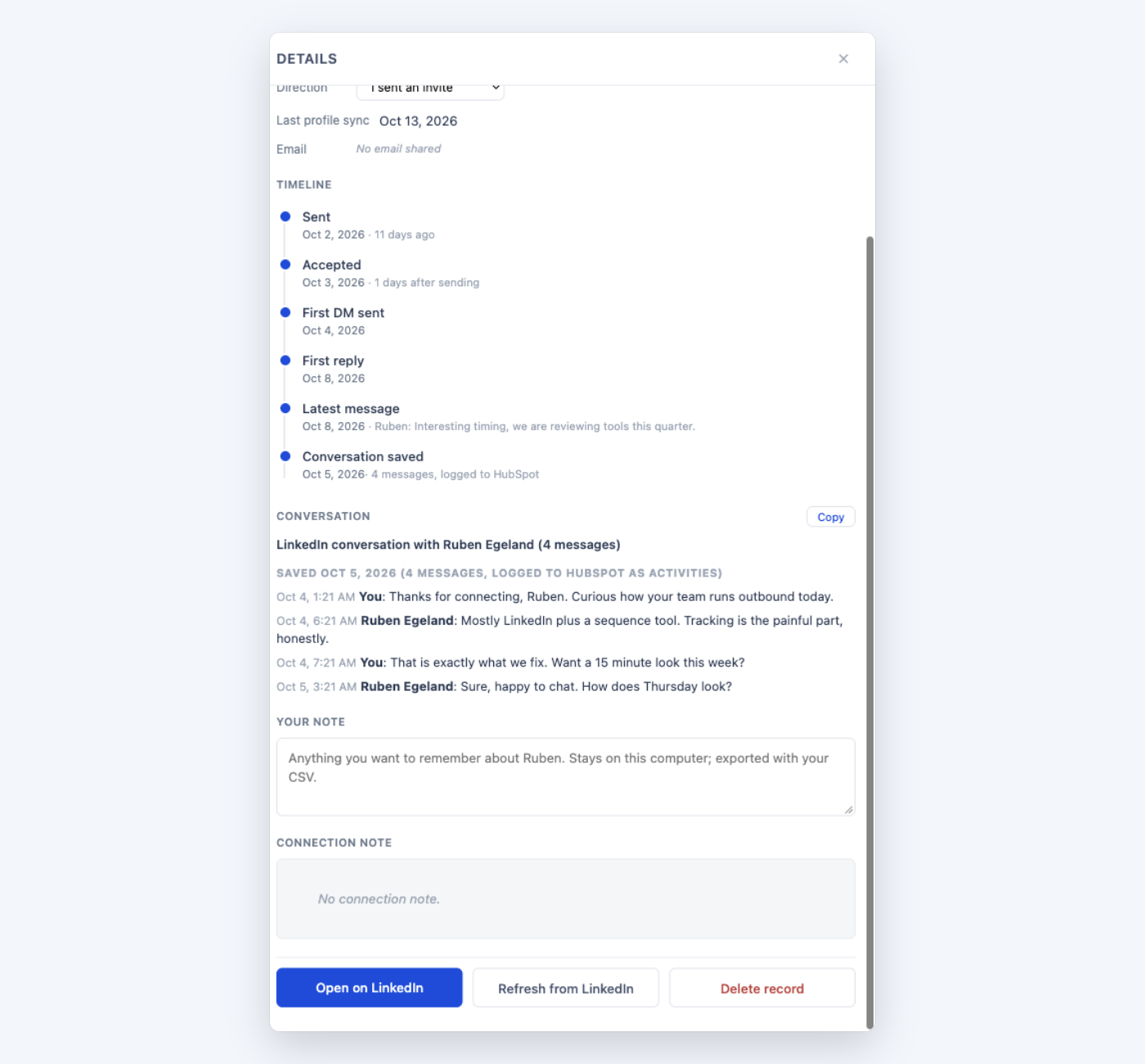
Open the conversation on LinkedIn. The bar shows Log to HubSpot for someone already in HubSpot, or Push and log to HubSpot for someone who is not yet. The first time, a box explains what is read: only the conversation you open and add, never the whole inbox. Messages land on the contact as one LinkedIn-message activity per message, dated when it was actually sent, or as a note holding the new messages, your choice in Fields selection under LinkedIn conversations. Press Update later and only the new messages go. Prefer to keep it to yourself? Save conversation keeps it in Outscore only, readable and copyable in the dashboard.
4. A follow-up task
After a push, and any time from the profile card, side panel or drawer of someone in HubSpot, Schedule follow-up offers In 3 days, Next week or Pick a date up to a year out. HubSpot gets a task on the contact, assigned to you, due at 9 in the morning. Details in LinkedIn follow-ups as HubSpot tasks.
5. A company, from its LinkedIn page
On a LinkedIn company page, the card says whether the company is in your HubSpot. If not, Add to HubSpot creates it with its name, website domain, LinkedIn company page and you as owner, fill-only. Push N people to HubSpot pushes the people you know there and links them all to the company. How it works: HubSpot companies from LinkedIn company pages.
6. Newly accepted connections, after each sync
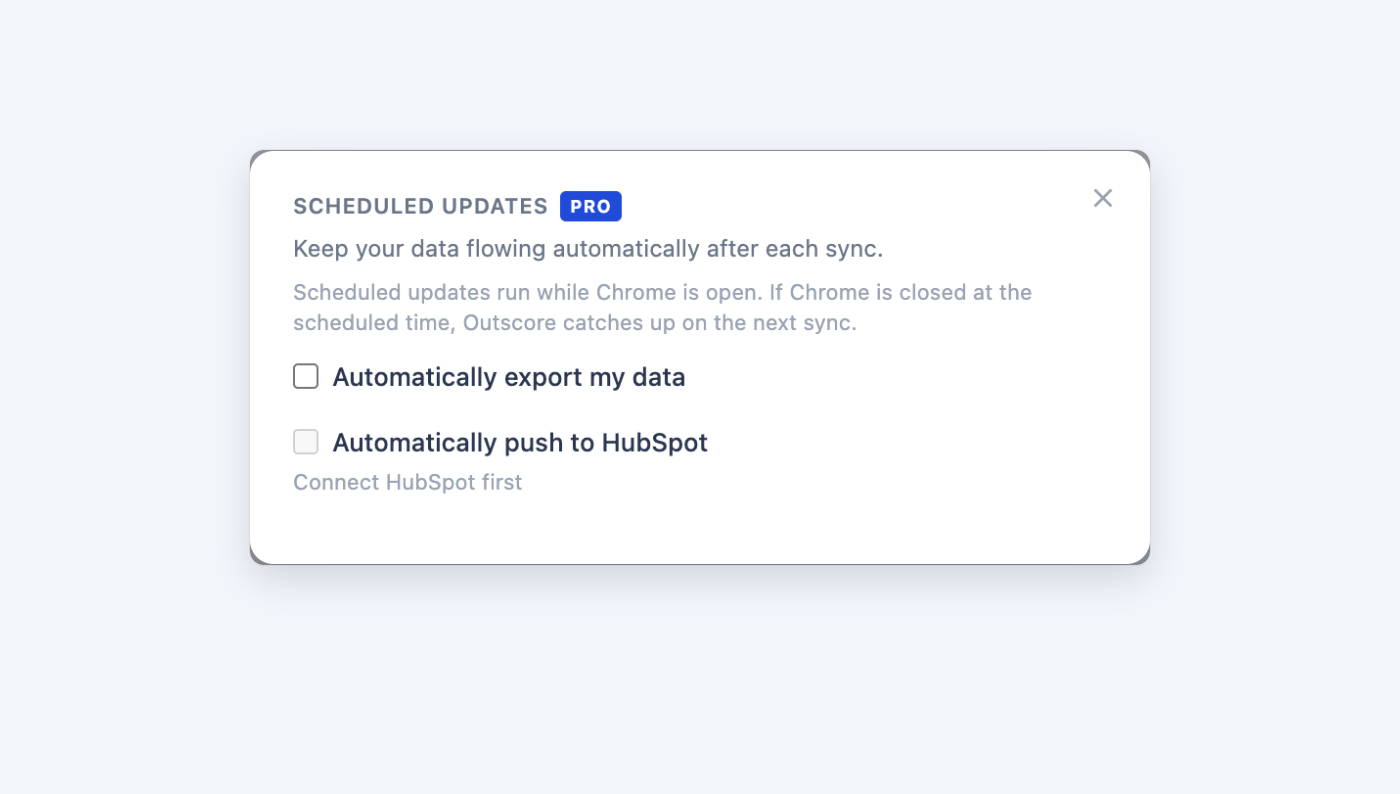
In Settings, Scheduled updates, Automatically push to HubSpot pushes people who accepted since the last run, up to 10 per sync, with your saved fields, matched and fill-only like any push. Anyone with a same-name question is skipped, not guessed. This is the one automatic path, and it automates moving your own data, never anything on LinkedIn. Pro only.
What does HubSpot show on LinkedIn?
7. In HubSpot, on every profile
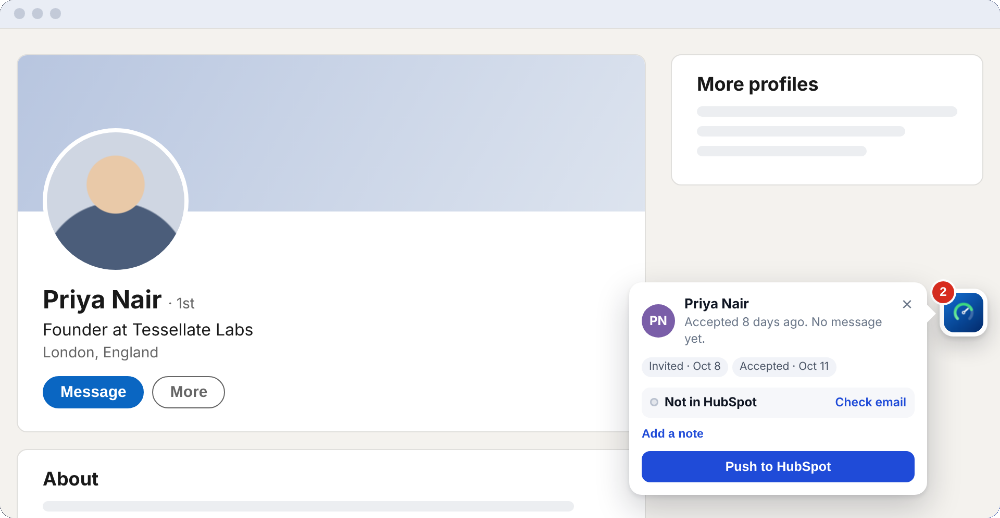
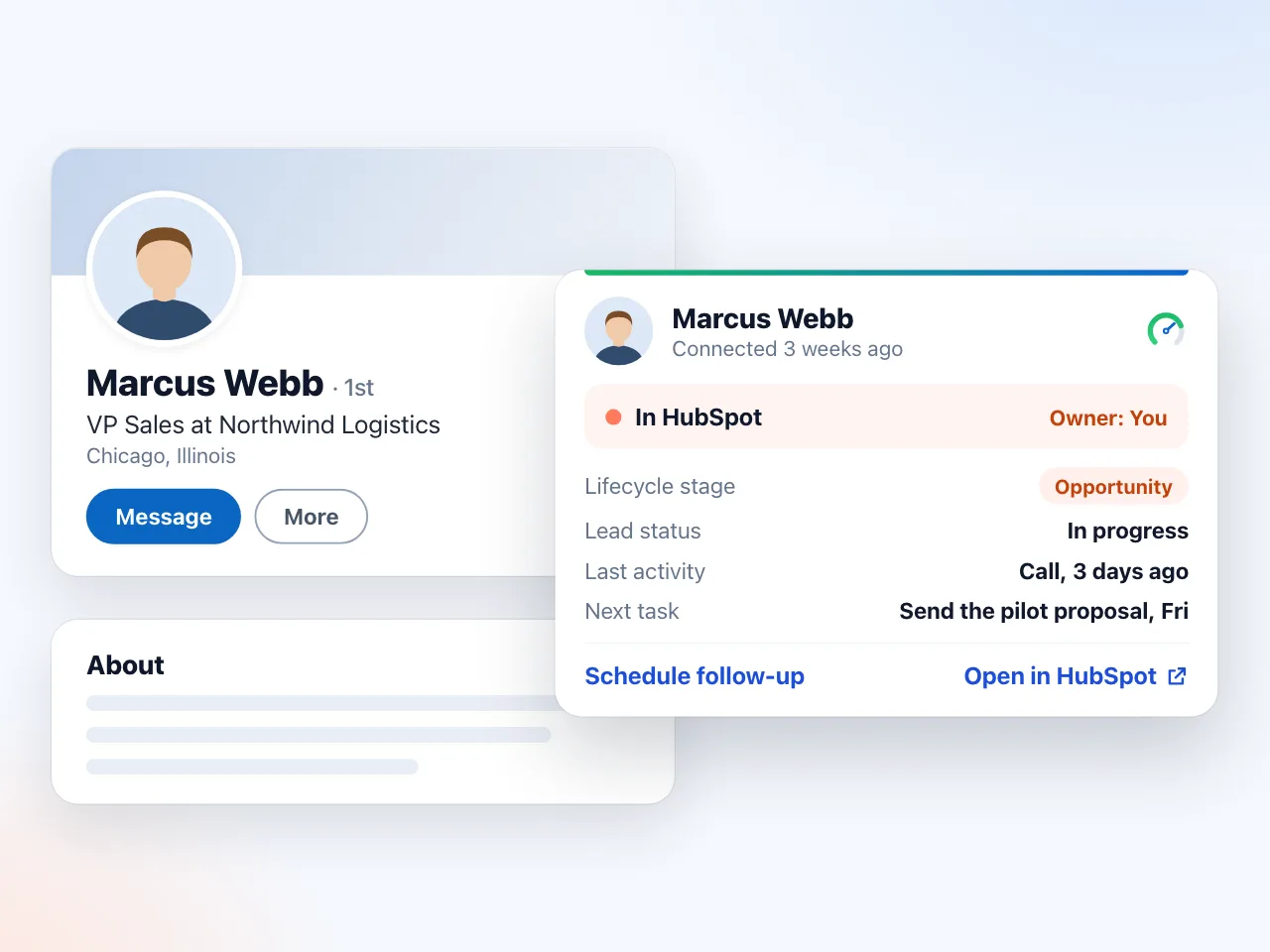
The card on a profile reads In HubSpot with the owner and lifecycle stage. Details adds the lead status and Edit, and the panel icon opens the side panel with the whole picture. Open in HubSpot is in the card’s ⋯ menu. Not in HubSpot comes with Check again and Find in HubSpot, a search by name, email or company that returns up to five records (only the email’s domain is shown) so you can Link the right one. When the name matches but the URL does not, the card asks Same person? and your answer is saved. Yes or Link also fills an empty LinkedIn URL on the HubSpot record, so the next check is exact. Walkthrough: who is already in HubSpot, from their LinkedIn profile.
7a. Edit the record without leaving LinkedIn
For someone who is in HubSpot, Edit on the card’s Details, in the side panel or in the drawer opens one form with the owner, lifecycle stage, lead status, job title, company, email, phone, mobile, city, state and country, filled from the record. Save writes only the fields you changed, straight from your browser to your HubSpot. Pro, and free during the 14-day trial. Walkthrough: how to edit HubSpot contacts directly from LinkedIn.
7b. Your next step and Recent activity
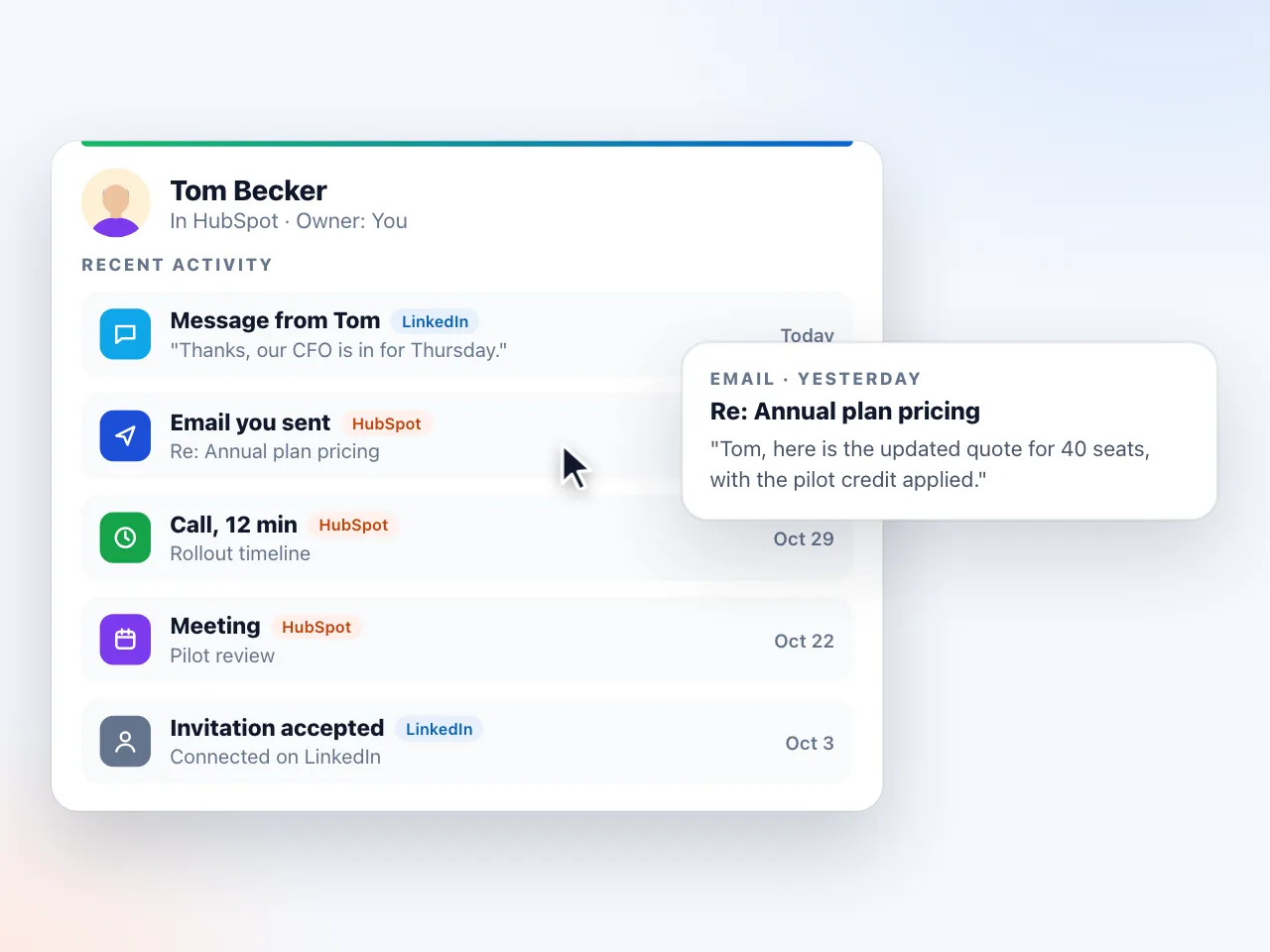
For someone in HubSpot, the card says your last touch, on LinkedIn or in HubSpot, and your next task in one line, with one button: Done, plan next closes the task and plans the next one (text, day and priority), or Plan next step when nothing is planned. The side panel shows their open tasks and Recent activity, a timeline of their latest emails, calls, meetings, notes and LinkedIn messages; hover one to read what it was about. Three of each show, the rest one press away. Pro, and free during the 14-day trial.
8. The HubSpot column in your People list
Every person you track has a HubSpot state in the dashboard: Pushed (with the date and a link), In HubSpot, Maybe, Not in HubSpot (with Push), or Not checked. A bar counts the accepted connections not in HubSpot yet, with Check them, Show them and Push all to HubSpot. The footer’s Check who’s in HubSpot asks about up to 500 people in one press.
9. The company card and panel
On a company page: in HubSpot or not, who owns it, and how many of your people work there. See them opens the side panel’s This company, with your LinkedIn funnel at that account and the people there, including HubSpot’s own contacts at the company with Pro or the trial (five show, with search and the Not in HubSpot and Mine filters). Its deals are there too, read only: the open ones, and past ones marked Won or Lost. Outscore never creates or changes a deal.
10. Needs you
The dashboard opens on a to-do list built from your LinkedIn activity and your HubSpot: They replied, Accepted, not messaged yet, Pending over 60 days, your HubSpot follow-ups due today or late, and Not in HubSpot yet with a Push button on each row and Not now for the ones you keep out. After the 14-day trial the counts stay free and the names and buttons are Pro. More in how to find LinkedIn messages you never replied to.
What about other CRMs and tools?
HubSpot is the only CRM Outscore connects to today. For anything else, the same tracked people go out as a CSV (10 contacts free, the full list with Pro), as a file written on a schedule, or as a webhook in CSV or JSON that an automation tool turns into a Google Sheet, a Notion database or a Slack ping. Guides: automatic export to a file, webhook or CRM and LinkedIn pipeline to Google Sheets.
What is free, what is in the trial, and what is Pro?
| Capability | Free, always | 14-day trial | Pro |
|---|---|---|---|
| Stats, funnel, acceptance and reply rates | Yes | Yes | Yes |
| In HubSpot or not, Open, Find in HubSpot, Same person? | Yes | Yes | Yes |
| Owner, stage, lead status, next step and Recent activity on the profile | No | Yes | Yes |
| Edit HubSpot properties, plan the next task | No | Yes | Yes |
| Push, log, task, company | First 10 people, plus 3 conversation try-outs | Same 10 | Unlimited |
| Automatically push newly accepted connections | No | No | Yes |
| Needs you names and buttons | Counts only after the trial | Yes | Yes |
| People list | 5 rows after the trial | Full | Full |
| CSV export, scheduled file and webhook | 10 contacts | One full export | Yes |
| Saved conversations, your notes, tags | Yes | Yes | Yes |
Pro is $10 a month, billed yearly, or $15 month to month, your choice at checkout.
What Outscore never does
It never sends invitations or messages, never posts, never opens conversations by itself, never reads your inbox in the background, never scrapes profiles in bulk, never looks up or buys email addresses, and never sells credits. It never syncs a person or a conversation you did not pick, with the one exception you can turn on yourself: newly accepted connections after a sync. Your tracking and saved conversations stay in your browser; Outscore’s server sees anonymous usage counts, never your contacts or your messages.
When did each capability arrive?
| Version | What it added |
|---|---|
| 2.12 | Log a LinkedIn conversation on the HubSpot contact as LinkedIn-message activities with real dates |
| 2.14.3 | Notes as the second format for logged conversations |
| 3.0.0 | The button and side panel on every LinkedIn page; saved conversations in the dashboard |
| 3.0.3 | In HubSpot or Not in HubSpot on every profile, with owner, stage and last activity |
| 3.0.5 | The HubSpot column in the People list; tags |
| 3.0.6 | Find in HubSpot and Link; the company card on LinkedIn company pages; Needs you as the dashboard home with Not in HubSpot yet; the latest message on every person |
| 3.1.0 | Edit in HubSpot: change the owner, lifecycle stage, lead status, title, company, email, phones and location of a contact from the LinkedIn profile, the side panel or the drawer; only the fields you change are saved; the next step (last touch, next task, Done, plan next); Recent activity; Pick a date for follow-ups; follow-ups due today in Needs you |
| 3.2.0 | Add to HubSpot in one press on any profile; Ask my admin (the admin sets the key up for one rep or the whole team); read only with your own HubSpot personal key; deals moved to the company, read only, with Won and Lost; Recent activity as a timeline; a support chat |
Frequently asked questions
What does Outscore do with HubSpot?
Two directions. LinkedIn into HubSpot: it adds the people you pick as contacts (with company, title, LinkedIn URL and you as owner, deduped by LinkedIn URL and email, fill-only), logs the conversations you choose on the contact as notes or LinkedIn-message activities, creates follow-up tasks, adds companies from their LinkedIn page, and can push newly accepted connections after each sync. HubSpot onto LinkedIn: every profile and company page shows whether the person or company is already in your HubSpot, with owner, stage and lead status, your last touch and next task, and Recent activity as a timeline; you can edit their HubSpot properties from the card, and the People list shows who is in HubSpot for everyone you track.
Does Outscore sync my whole LinkedIn network to HubSpot?
No, on purpose. Nothing reaches HubSpot until you push it: one person from their profile or a conversation, a filtered list from the People page, or, if you turn it on, connections that newly accepted your invitation after each sync. Your CRM gets the people you chose, not your entire network.
Does it work with the free version of HubSpot?
Yes. The push uses standard contact and company properties, and notes, tasks and LinkedIn-message activities need no extra plan. Connecting takes a service key created once in your own HubSpot account by a super admin or a user with developer tools access; the key stays in your browser. If you cannot create one, Ask my admin sends your admin a link to set it up for you or your whole team, and until then you can connect read only with your own HubSpot personal key.
What is free and what needs Outscore Pro?
Free on every install: the stats, whether a person or company is in HubSpot (with Open and Find in HubSpot), the People HubSpot column, saved conversations, your notes and tags, and your first 10 people in HubSpot (a push, a logged conversation, a task or a company each use one slot) plus 3 more people whose conversations you can log as a try-out. Pro adds unlimited pushes and logs, the owner, stage, lead status, next step and Recent activity on the profile, editing HubSpot properties, scheduled push, the full list and CSV export. Pro is $10 a month, billed yearly, or $15 month to month, your choice at checkout. New installs get the full product, except the HubSpot allowance, for 14 days.
Will Outscore create duplicate contacts in HubSpot?
It looks for the person before it creates anyone: by an email it already has, then by the LinkedIn URL in a dozen spellings, then by a choice you saved. When one to three records share only the name, it asks you instead of guessing. Fields you already filled in HubSpot are never overwritten; a push fills empty ones.
Can my AI assistant read the LinkedIn conversations Outscore logs?
If it reads your HubSpot through HubSpot's own MCP server, log conversations as notes. That server lists notes among the activities it reads and does not list LinkedIn messages (checked 14 October 2026). Every pushed contact also gets a timeline note with the connection history, which assistants can read too.
Does Outscore do anything on LinkedIn by itself?
No automation. It never sends invitations or messages, never posts, and never opens conversations on its own. The only thing it does on LinkedIn for you is withdraw an invitation you pick, when you press Withdraw.