
On your phone? Outscore is a Chrome extension, so it runs on a computer. Get the link by email and open it there.
If you run your business from HubSpot and your relationships on LinkedIn, duplicates are not a cosmetic problem. Two records for one person means two owners, a note on the wrong one, a follow-up task nobody sees, and an AI assistant that reads half the story. This guide explains exactly how the duplicates happen, how to clean them, and the matching order that keeps one record per person from then on.
Key facts
| Question | Answer |
|---|---|
| What does HubSpot use to recognize an existing contact? | The email address. Companies are recognized by their website domain. |
| Does LinkedIn's connections export include emails? | Only for connections who allowed it in their privacy settings. (LinkedIn Help) |
| Which property should hold the LinkedIn URL? | HubSpot's standard LinkedIn URL contact property, not a text field you invent. |
| Does a LinkedIn URL change? | Rarely. Members can edit their custom URL, but the profile keeps resolving and most never touch it. It is far more stable than a job title or an email. |
| What matching order does Outscore use? | An email it already has, then the LinkedIn URL in a dozen spellings, then a choice you saved, then a question when only the name matches. |
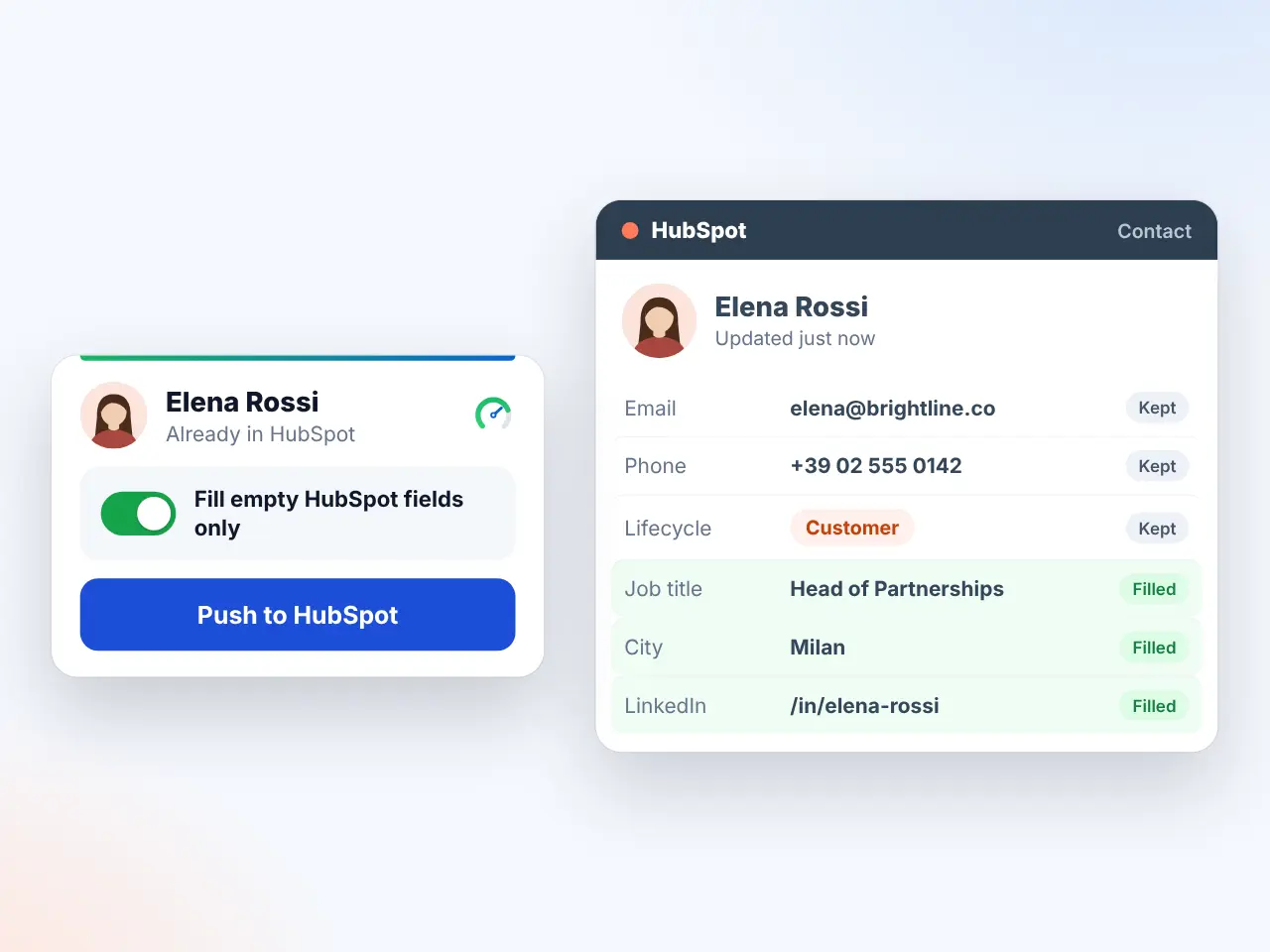
| What does a push overwrite? | Nothing you filled. Fill empty CRM fields only is on by default. The LinkedIn URL is always set, and an existing owner is never replaced. |
Sources: HubSpot Knowledge Base, deduplication of records (“HubSpot automatically deduplicates contacts using email addresses, and companies using domain names”, checked 1 November 2026), LinkedIn Help, visibility of your email address and LinkedIn Help, download your account data. The Outscore behaviour is from the shipped code, version 3.0.6, checked 1 November 2026.
How do duplicates actually happen?
Four ways, and most teams have hit at least three:
| How it happens | What HubSpot sees | Result |
|---|---|---|
| A LinkedIn export imported twice | Rows without an email, no other key mapped | A second record for everyone without an email |
| A tool that pushes by name | A name search, or no search at all | A record for every push, or a wrong link on a common name |
| The same person, two emails | Work email on one record, personal on another | Two records that both look right |
| A contact created from a meeting or a form, then pushed from LinkedIn | No LinkedIn URL on the original record | The push cannot find it and creates a twin |
The pattern underneath is the same every time: the only key HubSpot checks by itself is email, and the LinkedIn side of your business runs without emails.
How do you prevent duplicates by hand?
- Map the URL on every import. When you import LinkedIn's Connections.csv, map the URL column to HubSpot's LinkedIn URL property. HubSpot still matches on email, but from now on every record carries the second key.
- Fill the URL on the records you already have. For the people you work with most, open the HubSpot record and paste their LinkedIn URL into LinkedIn URL. A one-time afternoon for a small book of relationships.
- Search before you create. Before adding anyone from LinkedIn, search HubSpot by name and by company. If you find them, add the LinkedIn URL to that record instead of creating a new one.
- Merge what already exists. In HubSpot's duplicate management view, merge the pairs it finds. Keep the record that has the LinkedIn URL, or add it before you merge.
This works. It also depends on you doing a search and a paste every single time, and the day you skip it is the day the twin appears. The full import walkthrough is in how to import LinkedIn contacts to HubSpot.
What matching order keeps one record per person?
Outscore pushes a person only after looking for them, in this order. The order matters: each step is more certain than the next, and the last step never acts alone.
- 1. The email it already has. If the connection shared an email on their profile, or you imported one, that is the surest key and it is checked first.
- 2. The LinkedIn URL, a dozen spellings. With and without the trailing slash, with and without www, upper and lower case, and the other ways a URL gets pasted. A record that holds any of them is the match.
- 3. A choice you saved. If you once answered Same person? or linked a record with Find in HubSpot, that answer is kept and used before anything else is tried.
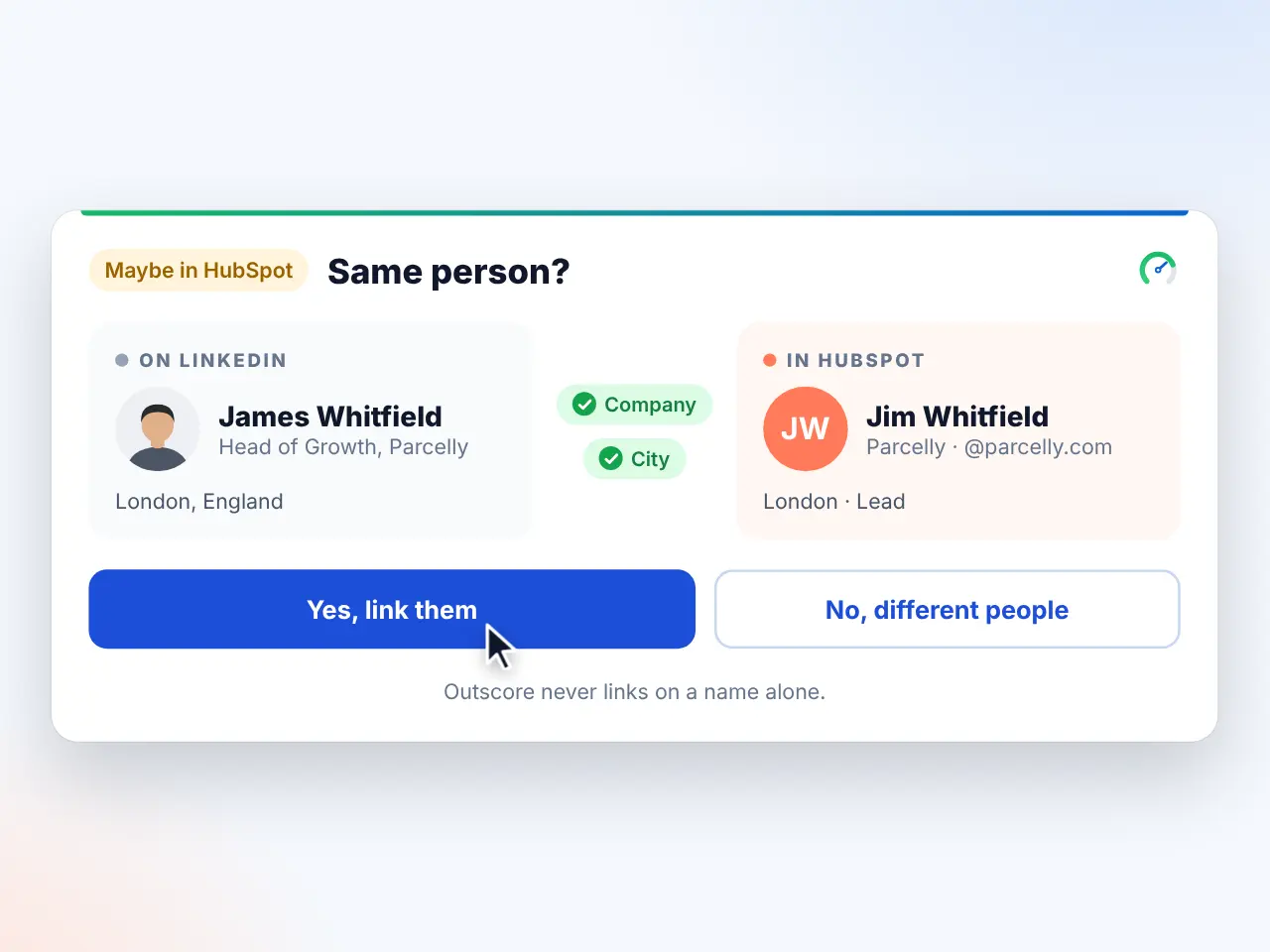
- 4. A question, never a guess. When one to three records share the name and nothing else matches, the card asks Same person? with Yes, No and Search HubSpot. From the dashboard a review box offers Decide later. A scheduled push skips the person instead of guessing.
Only when all four come up empty is a contact created. And when a record is found, the push is fill-only: a field you already filled in HubSpot stays as it is, empty fields get the LinkedIn data, and the LinkedIn URL is set so the next check is exact. The owner is set only when the record has none, so a contact a teammate owns stays theirs.
How do you link a LinkedIn profile to a record that already exists?
The common case: a contact created from an email or a meeting, long before any LinkedIn URL was stored. On their LinkedIn profile, the Outscore card says Not in HubSpot, because no record holds the URL. Rather than push and create a twin:
- Open Find in HubSpot. Under Not in HubSpot, the card offers Another name or email? Find in HubSpot. It searches your contacts by name, email or company and shows up to five records, with only the domain of each email, newest changed first.
- Link the right one. Link saves your choice the same way Yes on Same person? does, and fills the empty LinkedIn URL on that record. The card now reads In HubSpot with the owner and stage.
- Push or log as usual. Every later push, logged conversation and follow-up task lands on that record. No twin, no merge.
Find in HubSpot and the Same person? question are free for everyone, on the profile card, the side panel and the dashboard drawer.
How do you check a whole list at once?
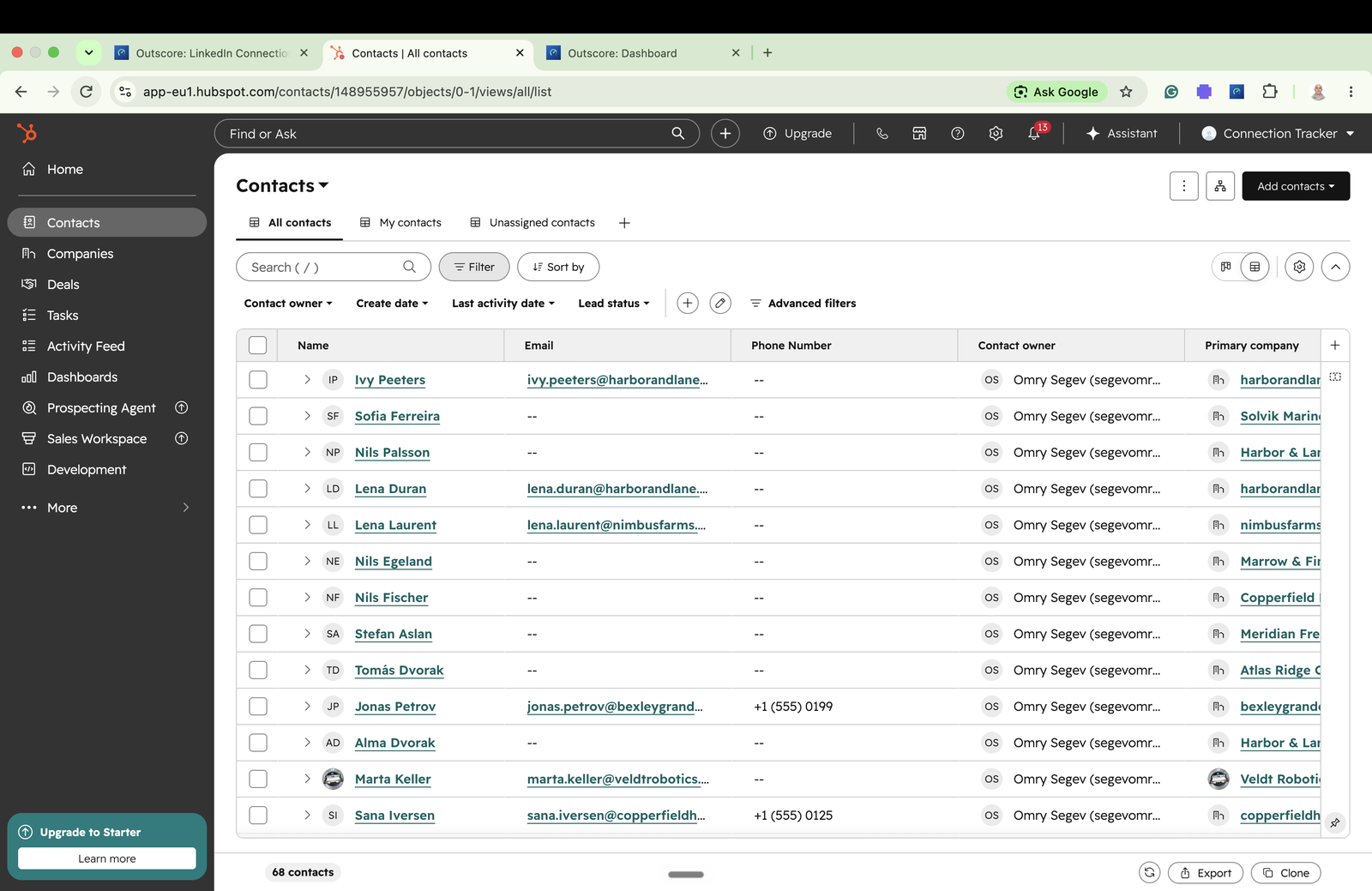
In the Outscore dashboard, every person you track has a HubSpot column: Pushed, In HubSpot, Maybe, Not in HubSpot or Not checked. Check who’s in HubSpot asks about up to 500 people in one press, using the same email and URL matching. The ones marked Maybe are the same-name cases, waiting for your answer. The ones marked Not in HubSpot are the only ones a push would create, and a bar lets you push them all, or just the ones you pick.
What about duplicate companies?
HubSpot recognizes companies by their website domain, which LinkedIn does not always show. When a push creates the company for a contact, Outscore reuses a company it already knows from an earlier push, and looks for a same-name company spelled with a legal form such as Inc or Ltd before creating one. On a LinkedIn company page, the card asks Same company? when it is unsure. More in HubSpot companies from LinkedIn company pages.
One honest limit
If HubSpot’s search itself fails during a push (a timeout, an outage), the push falls back to creating the contact rather than losing your work. That is rare, and it is the one way a twin can still appear. The HubSpot column will show both the next time you check, and a merge fixes it.
Frequently asked questions
Why does importing LinkedIn connections into HubSpot create duplicates?
HubSpot recognizes an existing contact by email address. LinkedIn only includes an email in its export when the connection chose to share one, so most rows arrive without it, and HubSpot has nothing to match on. Every import, and every tool that pushes by name alone, creates a fresh record for those people.
What is the best matching key for LinkedIn contacts in HubSpot?
The LinkedIn profile URL. Every connection has one, it does not change when someone changes jobs, and HubSpot has a standard contact property for it, LinkedIn URL. Map your import to that property and use tools that search it before creating a contact.
Does Outscore create duplicate contacts in HubSpot?
It looks before it creates: first for an email it already has, then for the LinkedIn URL in a dozen spellings (with and without the trailing slash, with and without www, and so on), then for a choice you saved earlier. If one to three records share only the name, it asks you whether it is the same person instead of guessing. A field you already filled in HubSpot is never overwritten.
What happens when two people have the same name?
Nothing automatic. A name alone never links or creates. The card asks Same person? with Yes, No and Search HubSpot, and from the dashboard a review box lets you decide later. A scheduled push skips the person rather than guessing.
How do I link a LinkedIn profile to a HubSpot contact that was created from an email?
On their LinkedIn profile, the Outscore card says Not in HubSpot when the URL is not on any record. Find in HubSpot searches your contacts by name, email or company and shows up to five matches; Link saves your choice and fills the empty LinkedIn URL on that record, so every later check and push lands on the same contact.
How do I clean up duplicates that already exist?
HubSpot has a duplicate-management view that pairs likely duplicates and lets you merge them. Before merging, make sure the record you keep has the LinkedIn URL filled, so the next push updates it instead of creating a third one.