
Your LinkedIn outreach, in HubSpot. One click.
Outscore tracks your outreach by itself while you work, then pushes the contacts and conversations you choose into HubSpot. Deduped, fill-only, with owner, status and dates set. No copy-paste, nothing to log. Connect in about two minutes with a key you create in your own HubSpot.
Works with HubSpot · No card required
- Deduped by LinkedIn URL
- Fill-only, never overwrites
- Push only who you decide
“The LinkedIn-to-HubSpot integration is fast and seamless, connections import automatically with full contact info, no manual data entry required. What used to take hours of copying and pasting into our CRM now happens instantly and accurately.”
Everything HubSpot never gets from LinkedIn
LinkedIn has no API that feeds your CRM. Outscore reads what is already on your screen and moves what you choose.
Push contacts, deduped
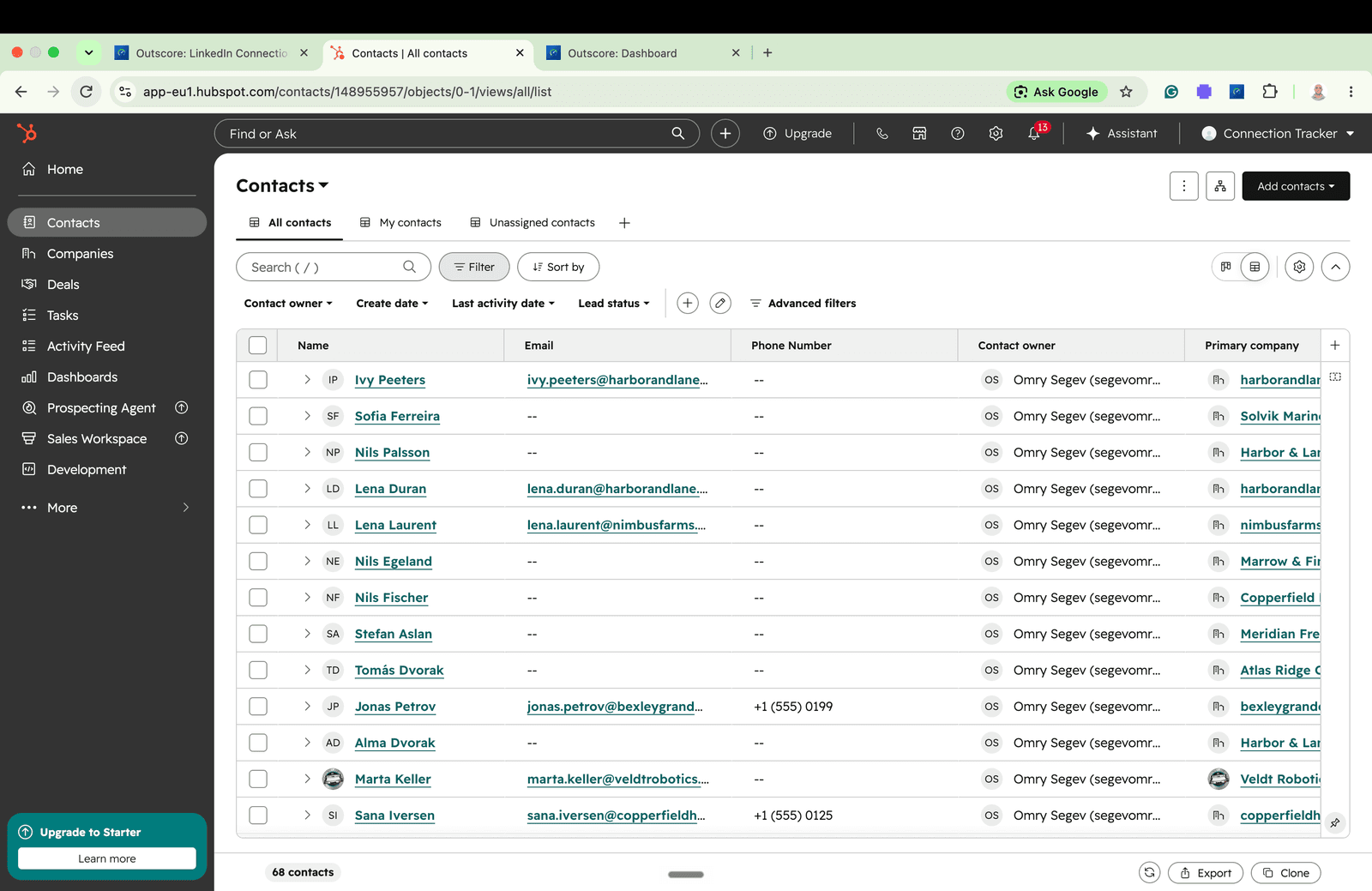
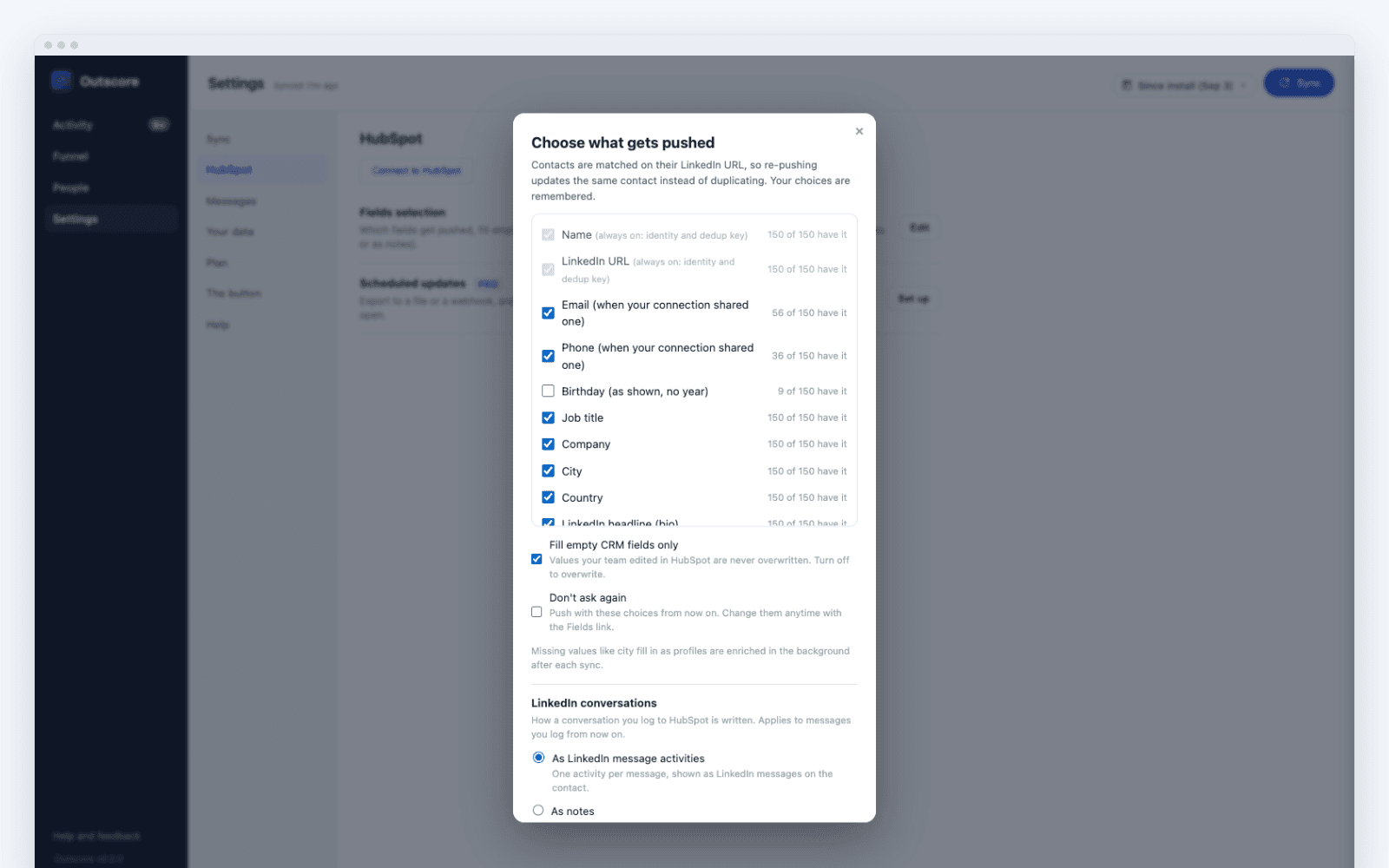
Pick who matters, click once. Name, company, title, profile URL, status, dates and a timeline note land in HubSpot with you as owner. Deduped by LinkedIn URL, fill-only so nothing you have is overwritten. Connected before you installed Outscore? Open their profile, add them, and push them in one click.
Log whole conversations
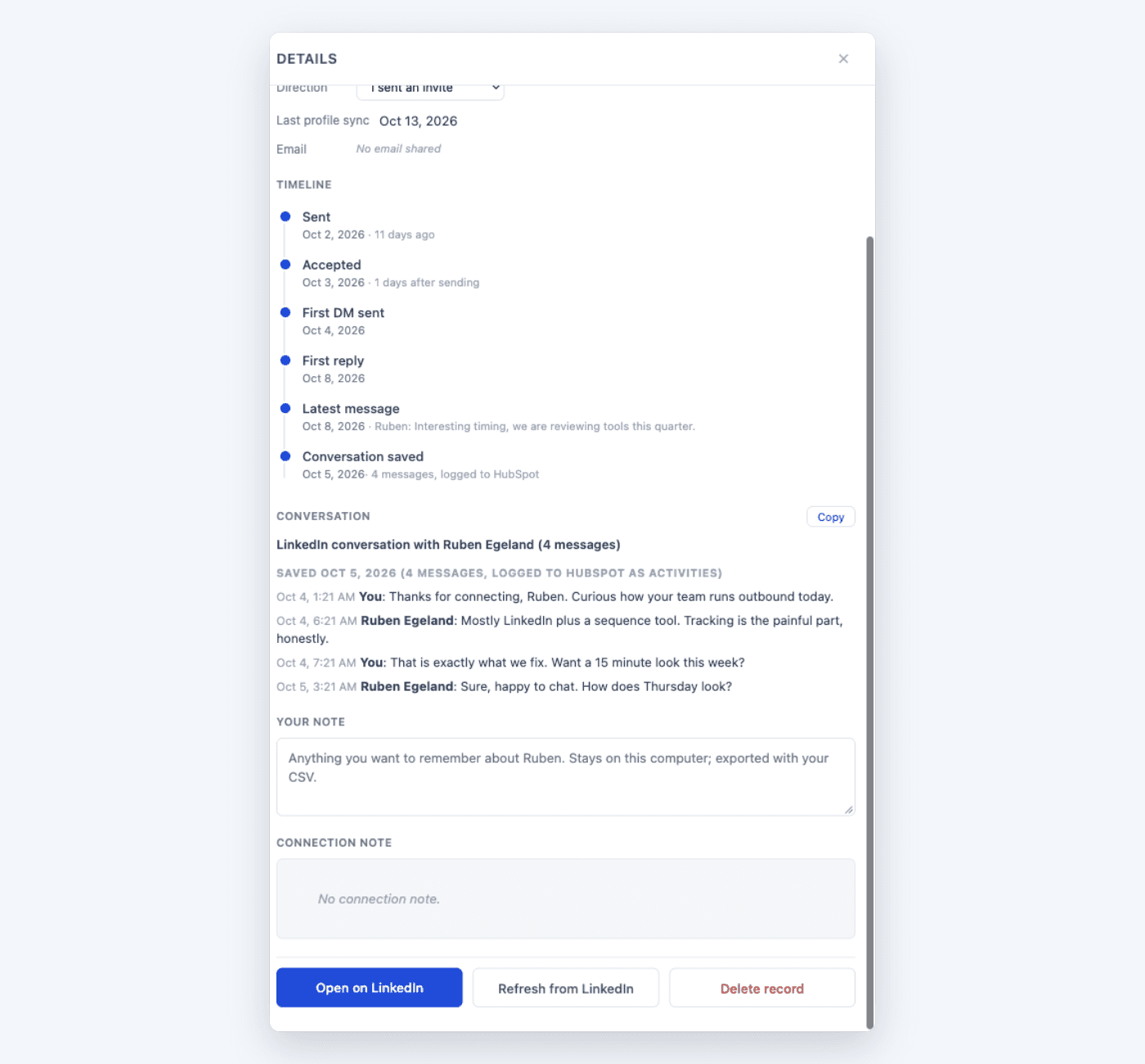
Open a thread, click Log to HubSpot, and the conversation lands on the contact timeline, each message dated when it was sent. Choose native LinkedIn-message activities, or notes your AI assistant can read. Click again later and only the new messages are added. Your CRM finally holds the LinkedIn story, not just the contact.
Keep HubSpot current automatically
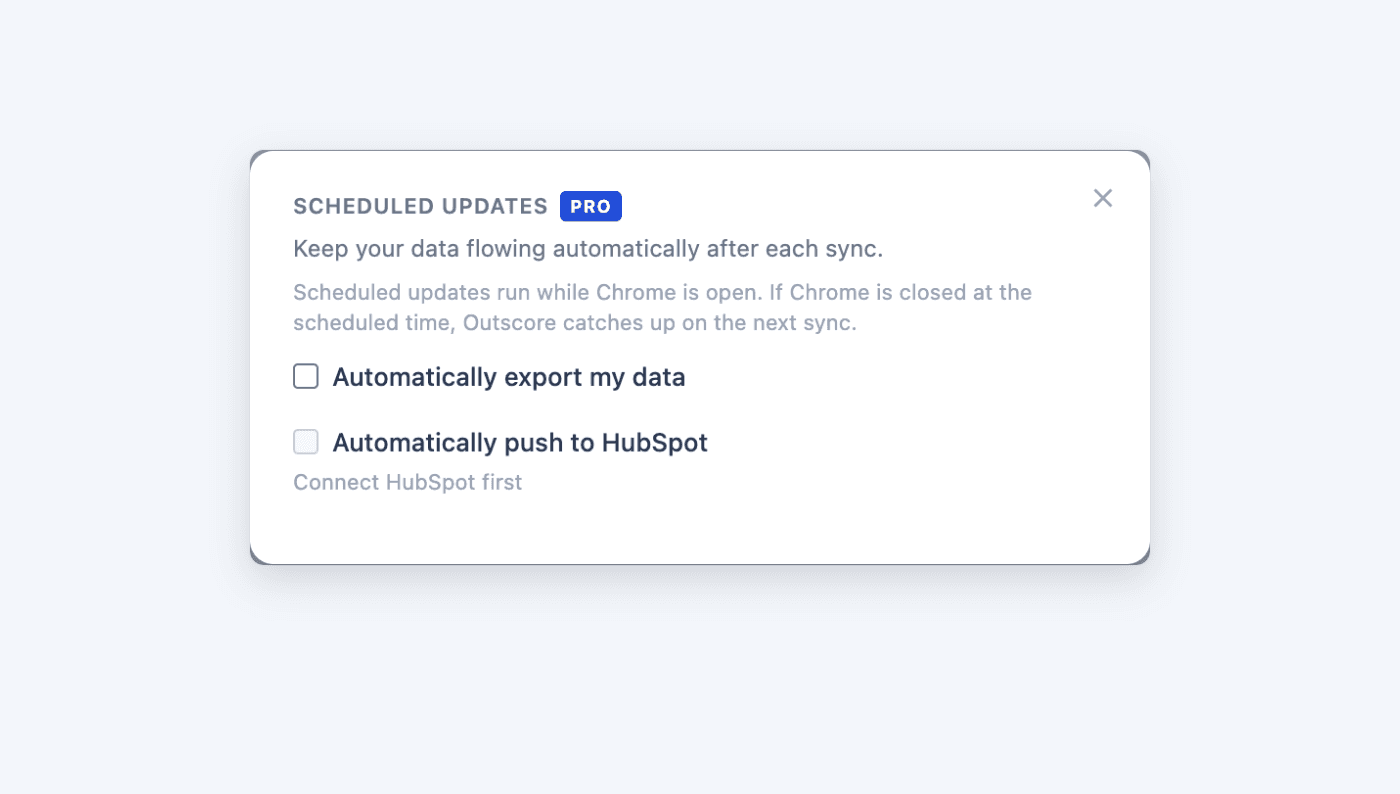
Scheduled updates push newly accepted connections after each sync, so the CRM stays fresh without you clicking anything. It automates moving your own data, never anything on LinkedIn.
For teams: the per-rep pipeline
Each rep pushes the connections they choose with themselves as contact owner, so a per-rep LinkedIn pipeline view in HubSpot is one filter away. Managers read rates and counts in the CRM, never anyone’s inbox. How the team setup works.
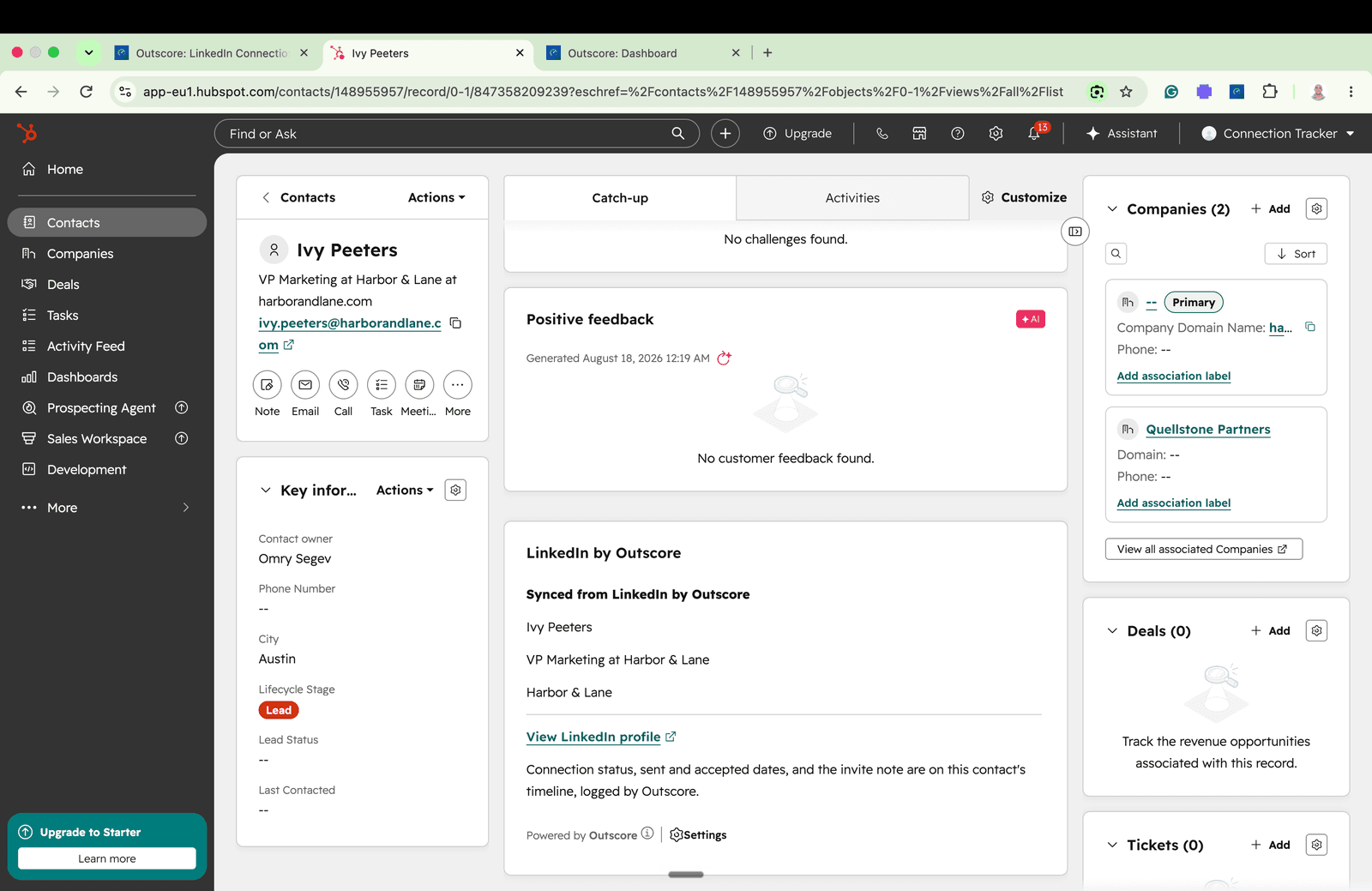
What lands on the contact
| Name | First and last name |
|---|---|
| Headline | Job title |
| Company | Company field, plus an associated company record |
| Profile URL | Native LinkedIn URL property, used as the dedupe key |
| Status and dates | Connection status and connected date |
| How it started | A timeline note, owned by you |
| When they list it on their LinkedIn profile, never looked up | |
| The conversation | Any thread you choose, as native message activities or as notes, each message dated when it was sent |
Frequently asked questions
Does Outscore work with HubSpot's free tier?
Yes. Creating contacts and companies works on HubSpot's free CRM, and Outscore is built to work with it. No paid HubSpot plan and no Sales Navigator seat are needed.
Will it create duplicate contacts in HubSpot?
No. Outscore writes each person's LinkedIn profile URL to HubSpot's native LinkedIn URL property and dedupes on it, so re-pushing updates the existing contact instead of creating a second one. Writes are fill-only: empty fields get filled, data you already have is never overwritten.
What lands on the HubSpot contact?
First and last name, job title from their headline, company plus an associated company record, LinkedIn profile URL, connection status, connected date, a timeline note, and you as contact owner. You choose which connections and which fields go, per push.
Can it log LinkedIn conversations in HubSpot?
Yes. Open a conversation, click Log to HubSpot, and the messages land on the contact timeline with their real timestamps, in the correct order alongside emails and calls: as native LinkedIn-message activities, or as notes if an AI assistant or another tool reads your HubSpot. A thread is pushed only when you explicitly choose it.
Can HubSpot stay current automatically?
Yes. Scheduled updates (part of Pro) can push newly accepted connections to HubSpot after each background sync, and can also export a CSV or call a webhook, so your CRM stays current without you clicking anything. It automates moving your own data, never anything on LinkedIn.
Does my LinkedIn data pass through Outscore's servers?
No. The push runs from your browser directly to your HubSpot account, using a key you create in your own HubSpot that stays on your computer. Outscore never sees or stores your LinkedIn contacts.
Is this safe for my LinkedIn account?
Outscore never sends invitations or messages and never scrapes profiles in bulk. The only thing it does on LinkedIn by itself is withdraw an invitation you choose, when you press Withdraw, so it carries about the same account risk as using LinkedIn yourself.
What does it cost?
Free to start: everything for 14 days, then your stats stay free forever. Your funnel and analytics are free too. The full contact list, HubSpot sync, conversation logging, CSV export and scheduled updates are Outscore Pro, with no per-seat fee. Pro is $79 a year, $10 a month, or $99 once for life. Your choice at checkout.
Stop copy-pasting LinkedIn into HubSpot.
Install the Chrome extension, connect HubSpot, and push your first contacts free. No learning curve, nothing to log.