
Your CRM has every email you ever sent and zero LinkedIn conversations. For teams selling on LinkedIn, that is the biggest hole in the record: the channel where the actual conversations happen is the one channel HubSpot cannot see. This guide covers why that is, the three methods that genuinely work in 2026, and how to move a conversation into HubSpot in one click.
Why HubSpot cannot see LinkedIn messages
Email syncs to HubSpot because email is an open protocol with an API to connect to. LinkedIn messages are not. LinkedIn exposes no partner API for your personal conversations, so there is nothing for HubSpot to receive, no matter how much integration middleware you buy. Tools like Zapier and Workato cannot bridge this, because the data never leaves LinkedIn in the first place.
That leaves exactly one place the conversation exists in a form software can read: your own browser, while you are looking at it. Every method below is a different answer to that constraint.
The three methods that work
| Method | What it captures | The catch |
|---|---|---|
| Copy and paste into a note | Whatever you paste, whenever you remember | Free but manual, so it gets skipped the week you are busy, which is the week it matters |
| Automation tool logging | Only the messages the tool itself sent, and replies to its own campaigns | Blind to conversations you started by hand or that predate the tool, and it requires running automation on your account |
| Browser extension, no automation | Any conversation you open, pushed when you choose | Needs the conversation to be on screen; nothing is captured in the background |
The middle row is the one people misjudge. An automation suite’s CRM logging looks complete until you notice it only knows about its own campaigns. The warm conversation you started manually with your best prospect, the thread from before you bought the tool, the reply that came through a different channel: none of it is there.
How to push a conversation to HubSpot with Outscore
- Connect HubSpot (free tier is fine). Install the free extension and click Connect to HubSpot. Outscore guides you on HubSpot's own page to create a service key in your account, and the key stays on your computer. Creating a key needs a HubSpot super admin or a user with developer tools access.
- Open the conversation. In LinkedIn messaging, or in a corner chat bubble on any LinkedIn page. A Log to HubSpot button appears with the open conversation (Push full thread to HubSpot in the classic look).
- Click once. Outscore reads the thread on screen and pushes it to the matching HubSpot contact, deduped by LinkedIn URL so it attaches to the right person instead of creating a duplicate. Click again later and only the new messages are added.
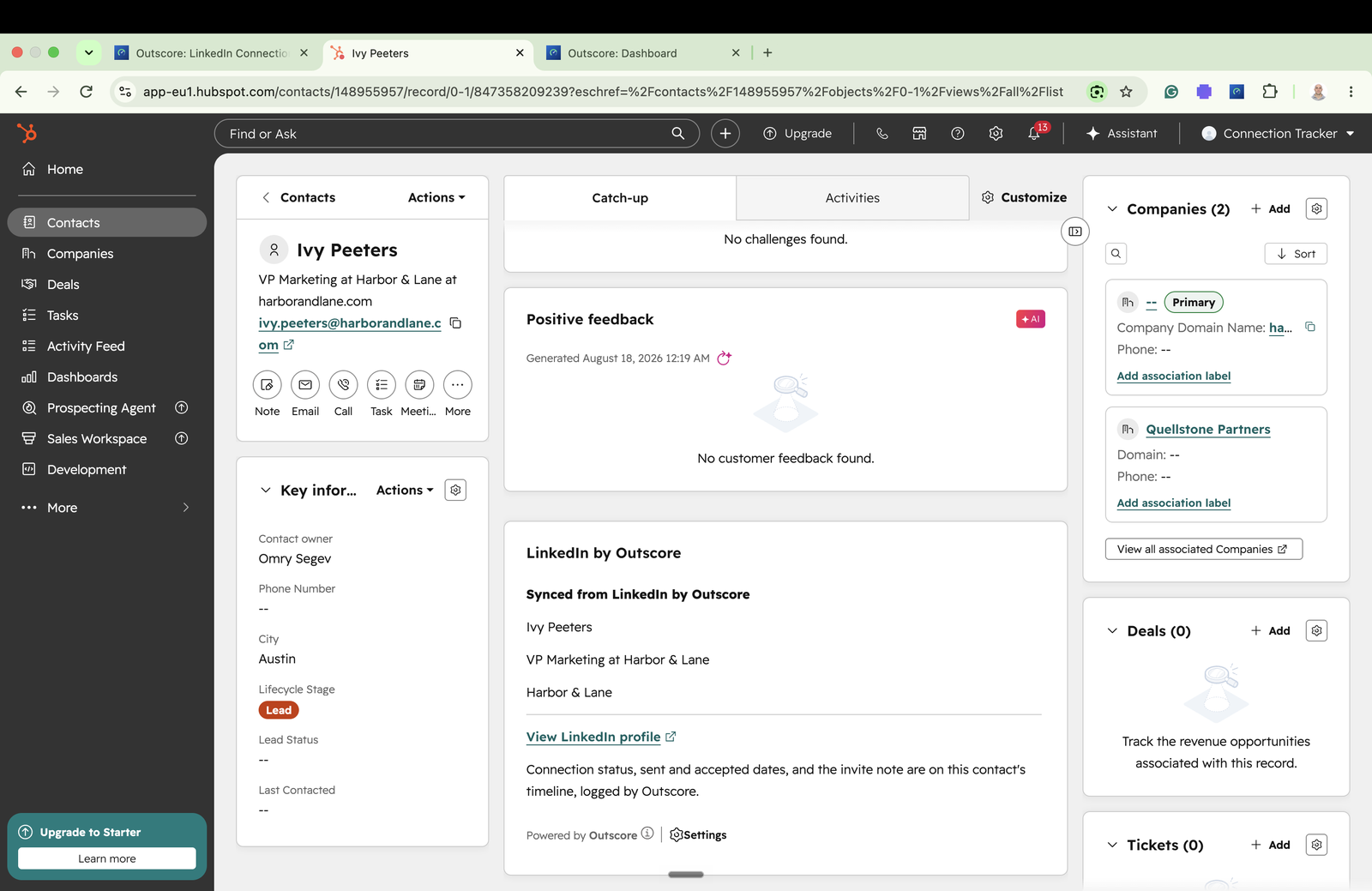
- Read it on the timeline. The messages appear backdated to their real timestamps, so the history reads correctly next to emails and calls: as native LinkedIn-message activities, or as one note per push if you chose notes in Settings, HubSpot, Fields selection.
Activities or notes: which should you choose?
Native LinkedIn-message activities are the tidy choice when people read the timeline: they sit next to emails and calls and can be filtered and reported on. Notes are the choice when software reads your HubSpot. HubSpot’s own MCP server, the way AI assistants connect to a HubSpot account, lists calls, emails, meetings, notes and tasks among the activities it reads, and LinkedIn messages are not on that list (HubSpot developer docs, checked 14 October 2026). If an assistant prepares your meetings or updates your records from your conversations, log them as notes. More on that, for people whose network is their business, in LinkedIn to HubSpot for consultants and advisors.
The part most people actually want: who replied
Pushing a thread is useful for the deals that matter. But the question behind the question is usually simpler: who replied, and who left me waiting. Outscore tracks that automatically as you use LinkedIn normally, without pushing anything: first message sent, first reply received, latest message and who sent it, per contact, with a sortable Replied column that marks unanswered first messages “waiting 6d”. Your follow-up list builds itself, and the Funnel page turns it into a Sent to Accepted to Messaged to Replied funnel with a real reply rate. See the LinkedIn reply rate guide for how to read it.
Where the messages live, precisely
This matters enough to state exactly. Outscore stores derived timestamps plus one latest-message preview per contact, on your device. A full conversation is kept only when you save it, and only on your device. Logging a thread to HubSpot is an explicit, per-conversation click, and the messages travel from your browser directly to your HubSpot account without passing through our servers. Outscore never opens a conversation by itself and never navigates to your messages; messaging is deliberately excluded from background sync.
On a team, that architecture is the whole point: a conversation reaches the CRM only when the rep pushes it. Managers read the per-rep pipeline in HubSpot, never anyone’s inbox. More on that in the team tracking guide.
Frequently asked questions
Can you sync LinkedIn messages to HubSpot?
Not natively. LinkedIn has no API that exposes your personal conversations, so no integration can pull them automatically, and HubSpot has no built-in LinkedIn inbox connection. The working methods are: copy and paste a conversation into a note by hand, use an automation tool that logs the messages it sent itself, or use a browser extension that reads the conversation already on your screen and pushes it into HubSpot when you choose. Outscore does the third: open a thread, click once, and the full conversation lands on the contact timeline with the real timestamps.
Why does HubSpot not show my LinkedIn conversations?
Because LinkedIn never sends them. Email syncs to HubSpot because email is an open protocol with an API. LinkedIn messages live behind a private interface with no partner API for personal conversations, so unless software is running inside your own browser session, there is nothing for HubSpot to receive. That is why the biggest channel your team sells in is the one your CRM cannot see.
Do automation tools sync LinkedIn messages to the CRM?
Partly, and with a catch. Automation suites can log the messages they sent and the replies to their own campaigns, because they know what they sent. They cannot see conversations you started by hand, conversations that predate the tool, or threads outside their campaigns. They also require you to run automation on your LinkedIn account, which is what actually triggers restrictions.
Is syncing LinkedIn messages to HubSpot against LinkedIn's rules?
Reading your own conversations is not automation. What LinkedIn prohibits is automated activity: bulk sending, auto-connecting, scraping at machine speed. Outscore performs no actions on LinkedIn at all. It reads the conversation already open on your screen, at human pace, and only when you click. Moving your own data into your own CRM does nothing on LinkedIn itself.
Does Outscore store my LinkedIn messages?
No. Outscore keeps derived timestamps (first message sent, first reply received) plus one latest-message preview per contact, stored on your device. A full conversation is kept only when you click Save conversation on it, and then only on your device. When you log a thread to HubSpot, it travels from your browser straight to your HubSpot account; it does not pass through our servers.
What does the conversation look like in HubSpot?
Your choice. By default the messages land on the contact record as native LinkedIn-message activities, backdated to their real timestamps rather than the time you pushed them, so the timeline reads in the correct order alongside emails and calls, and they can be filtered and reported on like any other engagement. Or you can log each push as one note with the new messages, dated and labelled by who wrote them, which is the format AI assistants and other tools connected to HubSpot can read.
Can an AI assistant read LinkedIn messages in HubSpot?
Only if they are logged in a form it reads. HubSpot's own MCP server, which AI assistants use to read a HubSpot account, lists calls, emails, meetings, notes and tasks among the activities it reads, and does not list LinkedIn messages (checked 14 October 2026). So if an assistant reads your HubSpot, choose to log LinkedIn conversations as notes. In Outscore that is Settings, HubSpot, Fields selection.