
Everyone tracks their acceptance rate. Almost nobody knows their reply rate, because LinkedIn never shows it: not in your inbox, not in Sales Navigator, nowhere. So outreach gets judged by accepts, which are a vanity number: an accept means someone didn’t mind adding you, a reply means a conversation started. This guide covers what a reply rate tells you, why no dashboard shows it, how to track yours, and what to fix when it is low.
Why your reply rate is invisible
LinkedIn exposes no API for message outcomes. Sequencers document this themselves: LinkedIn steps in tools like Outreach log that the task was completed, and nothing comes back about whether anyone answered. Automation suites do report reply rates, but only for the messages the bot itself sent, and running them puts the account at risk. Sales Navigator’s reports cover InMail, not regular messages. The only complete record of who replied to you is sitting in your own browser.
What counts as good
| Situation | Rough reply-rate anchor |
|---|---|
| Cold DM after a cold connect, generic pitch | Under 10%, often far under |
| Cold DM, personalized, well targeted | Vendor studies mostly report 10-25% |
| Warm follow-up (they engaged with you first) | 30% and up |
| Your own baseline, measured | The only number worth optimizing |
Treat published benchmarks as anchors, not targets: they come from automation vendors measuring their own campaigns. What actually matters is your baseline and its direction. A 12% reply rate that moves to 18% after you rewrite your opener is a win no benchmark can give you.
The two-number diagnosis
| Pattern | What it means | What to fix |
|---|---|---|
| Low acceptance, any reply rate | Targeting or profile problem | Tighter targeting, a one-line note, a credible profile |
| Good acceptance, low replies | Opener problem, targeting is fine | Shorter first message, about them, no pitch, sent days after the accept |
| Good replies, no meetings | Ask problem | A clearer, smaller ask once the conversation is real |
To see what those two rates are worth in meetings, run your numbers through the funnel. The reply percentage is the lever most people have never measured, and the calculator makes its cost visible.
How to track it without a spreadsheet
- Let the tracking fill itself. Outscore logs your connection requests automatically, and as of version 2.12 the message layer too: first message sent, first reply received, and the latest message per contact, read passively from what is already on your screen.
- Work the Replied column. Sort by Replied: who answered, and who is "waiting 6d" on your first message. Your follow-up list builds itself instead of living in your memory.
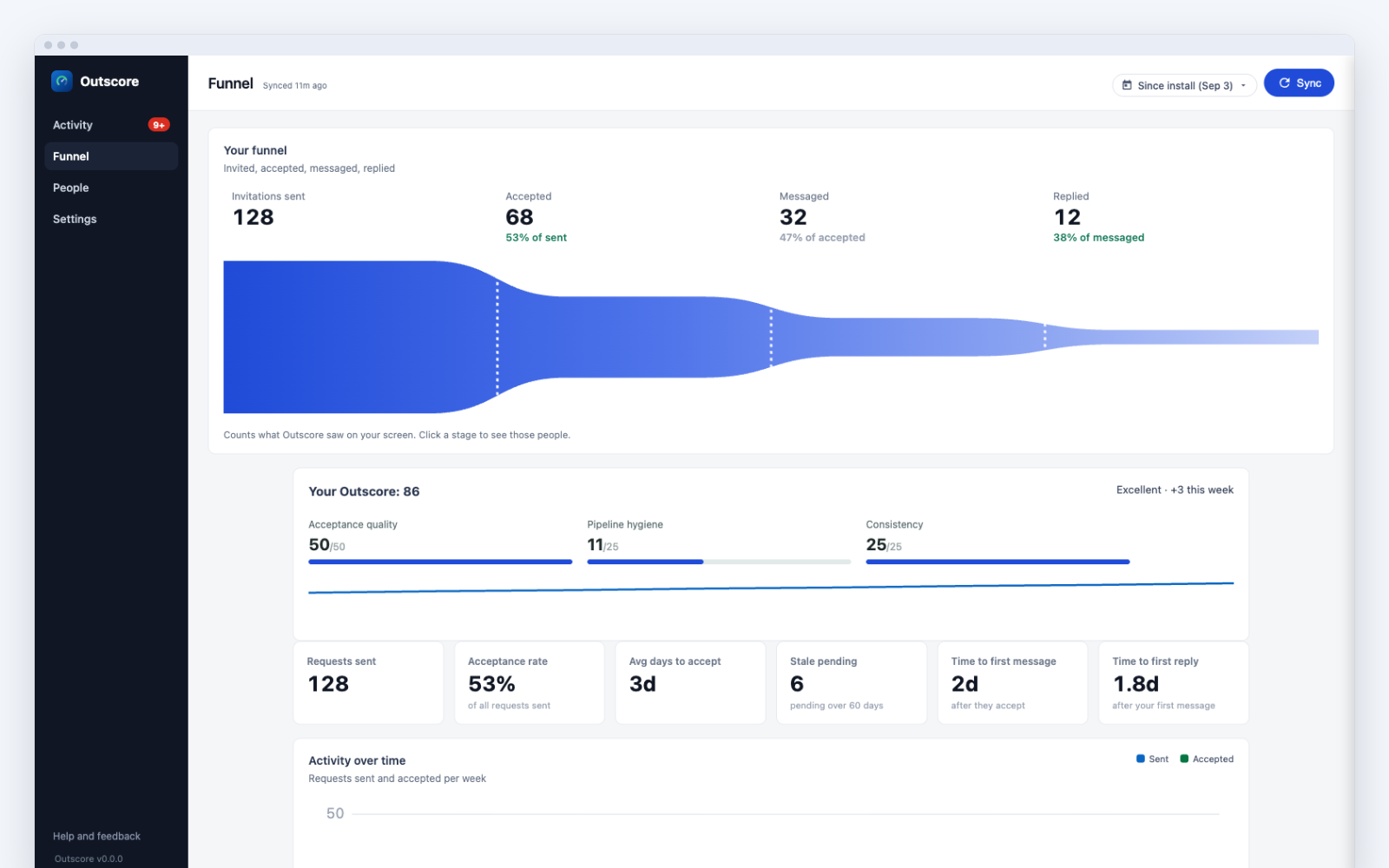
- Read the funnel on the Funnel page. Sent, Accepted, Messaged, Replied, with a real reply-rate KPI computed from your own history. You will know your baseline within a week of normal use.
- Push the conversations that matter to your CRM. When a thread turns into pipeline, one click sends the whole conversation to HubSpot as native message activities with the real timestamps. Your CRM finally holds the LinkedIn story.
Frequently asked questions
How do I see who replied to my LinkedIn messages?
LinkedIn itself only shows this one conversation at a time; there is no report anywhere in the product, including Sales Navigator, that lists who replied and who left you waiting. You either keep a spreadsheet by hand or use a tracker. Outscore (2.12+) adds a sortable Replied column to your connection list: it shows who answered your first message and marks the silent ones "waiting Nd" so you know exactly who to follow up with.
What is a good LinkedIn reply rate?
Vendor-reported numbers for cold LinkedIn DMs mostly land between 10% and 25%, with personalized messages to well-targeted people doing better and generic pitches doing far worse. Treat published numbers as rough anchors: they come from automation vendors measuring their own sends. The number that matters is your own baseline, measured over a few weeks, and whether it moves when you change your opener.
Why does no tool show my real reply rate?
LinkedIn has no API that reports message outcomes, so sequencers like Outreach and Salesloft only log that a LinkedIn task was completed; they cannot see whether anyone answered. Automation tools report reply rates only for what the bot itself sent. The only place your real reply data exists is your own browser, which is where Outscore reads it: passively, from what is already on your screen.
Does tracking replies mean the tool reads my inbox?
Not the way you would fear. Outscore never opens conversations by itself and never navigates to your messages; it reads only what is already on your screen as you use LinkedIn normally. It stores derived timestamps plus one latest-message preview per contact, on your device. A full conversation is kept only when you save it, and only on your device; logging a thread to your CRM is an explicit one-click choice, per conversation.
My acceptance rate is fine but nobody replies. What is wrong?
That pattern is diagnostic gold: your targeting works (they accepted) and your opener does not (they went silent). Most people accept connections liberally, so the accept tells you little. Fix the first message: shorter, about them not you, no pitch, and sent a few days after the accept rather than the same minute.