
On your phone? Outscore is a Chrome extension, so it runs on a computer. Get the link by email and open it there.
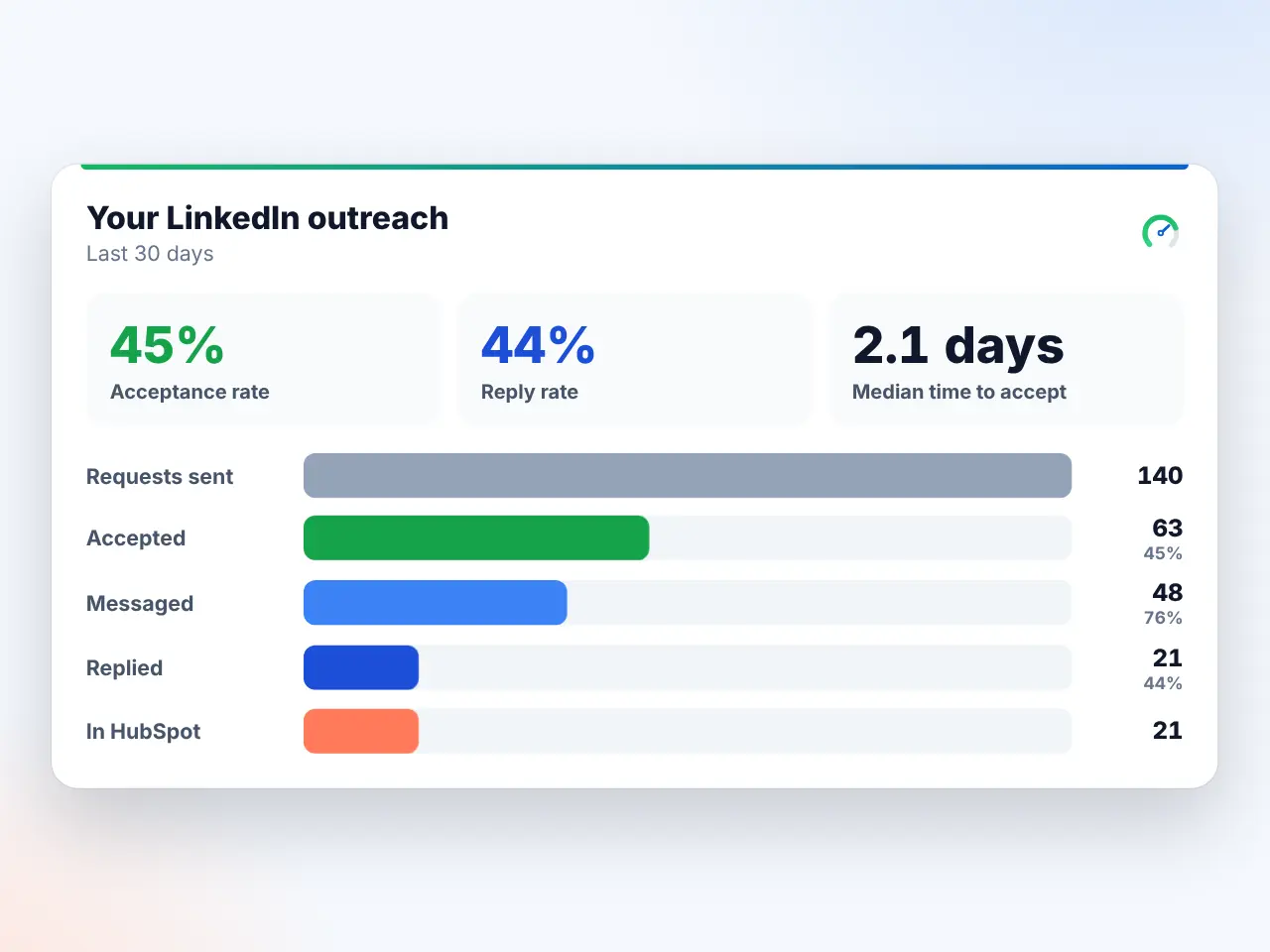
Which SDR metrics can HubSpot report?
| Metric | Native CRM Sync | Outscore |
|---|---|---|
| Connection requests sent | Not written back | Every one, automatic |
| Messages sent | Sales Navigator messages and InMails | Who you messaged, who replied |
| Follow-ups sent | Counted as messages | Who is still waiting, and for how long |
| Interested / Not Interested | SDR sets it in HubSpot | SDR sets Lead status from LinkedIn |
| Unresponsive | Your rule, by hand | Waiting days make the rule easy |
| Needs | Advanced Plus + Sales Hub Pro seat, per SDR | Any HubSpot plan, incl. free |
Sources: LinkedIn’s CRM Sync page for HubSpot and HubSpot’s CRM Sync article (updated 21 June 2026).
How to set it up
- Each SDR installs Outscore (free). Activity is counted as they use LinkedIn. Nothing is sent for them.
- Connect HubSpot. A key created once in your HubSpot account. Works on the free CRM.
- Push the people they work. Deduped by LinkedIn URL, SDR as owner, request history on the timeline.
- Set the outcome from LinkedIn. Edit on the profile card sets Lead status. Pro, free for 14 days.
- Report. HubSpot contacts with a LinkedIn URL, by owner and lead status, by week or month.
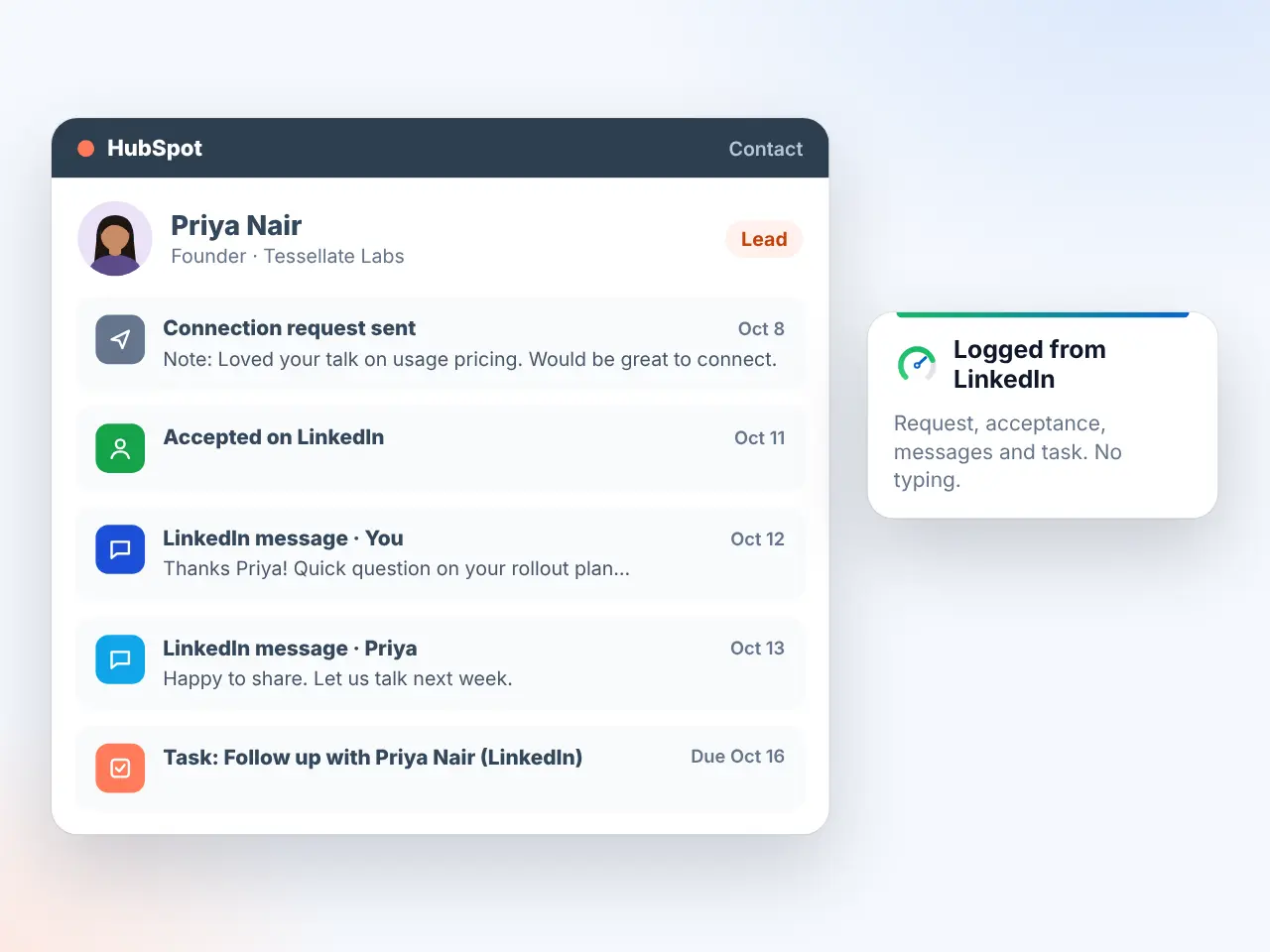
No tool? The manual way
Log each touch as a LinkedIn message or a named task (“LI connect”, “LI follow-up 1”), use Lead status for outcomes, and report by owner. It works as long as SDRs log every request, which is the first thing dropped in a busy week. More on the people side in tracking a sales team’s outreach.
Frequently asked questions
What is the best way to track LinkedIn SDR activity and outcomes in HubSpot?
Count activity (requests, messages, replies) in each SDR's LinkedIn, keep outcomes (Interested, Not Interested, Unresponsive) in HubSpot's Lead status, and report by contact owner. LinkedIn sends HubSpot no activity feed unless every SDR has Sales Navigator Advanced Plus and a Sales Hub Professional or Enterprise seat.
Can HubSpot report on LinkedIn connection requests per SDR?
Not from a native source. LinkedIn CRM Sync writes back InMails, messages, notes and Smart Links views, and connection requests are not on that list. The count has to come from the SDR's browser, by hand or with a tracker like Outscore.
How do I mark LinkedIn leads as Interested or Not Interested in HubSpot?
Use the standard Lead status property. Add Interested, Not Interested and Unresponsive options (or map them to Connected, Unqualified and Attempted to contact). It is already a filter in every view and report.
Can this be automated?
The counting can, with zero SDR time. The outcome cannot: only the SDR knows if a reply means Interested. Aim for one click per lead for that part.