
Step by step, on desktop
- Open My Network. Click the My Network icon in the LinkedIn navigation bar.
- Open the invitation manager. Click "Manage" in the invitations box at the top left, or paste linkedin.com/mynetwork/invitation-manager/ into your address bar.
- Switch to the Sent tab. The manager opens on invitations you received. Click "Sent" to see the requests you sent that are still waiting for an answer.
- Review and withdraw. Each row shows the person and roughly when you sent the request. Click "Withdraw" to cancel one.
How to see sent connection requests on the LinkedIn mobile app
The mobile app buries the Sent list a little deeper than desktop, but the steps are short. On iPhone or Android:
- Tap My Network. Open the LinkedIn app and tap the My Network tab along the bottom of the screen.
- Open Manage invitations. Near your invitations at the top, tap "Manage" (on some versions, tap "See all" first, then Manage).
- Switch to the Sent tab. The received invitations show first. Tap "Sent" to see the requests you sent that are still pending.
The mobile Sent list shows exactly what desktop does: pending requests only, with no record of who accepted or declined. If there is no Manage option, update the app, because older versions hid the invitation manager.
What LinkedIn shows you, and what it hides
The Sent tab is a snapshot, not a history. It answers exactly one question: which of my requests are still unanswered? Everything else about your outreach is invisible:
| What happened to your request | Where it appears on LinkedIn |
|---|---|
| Still pending | The Sent tab, with a relative date like "Sent 2 weeks ago" |
| Accepted | Removed from Sent; the person appears in your connections |
| Declined or ignored | Removed from Sent, silently; no record anywhere |
| Expired (about 6 months) | Removed from Sent, silently; no record anywhere |
This is why your accept rate is unknowable from LinkedIn alone. If you sent 200 requests last quarter and 40 are still pending, you cannot tell how many of the other 160 were accepted versus quietly declined, because LinkedIn never kept the list. For an SDR that means no way to A/B test invite notes, no top-of-funnel number for the weekly pipeline review, and no evidence when a manager asks what LinkedIn outbound is actually producing.
Work out the part LinkedIn deleted
You can recover the shape of it with arithmetic, even though the names are gone. Take the number you sent, subtract the ones who accepted and the ones still sitting in that Sent tab, and the remainder is everyone who declined, ignored, or quietly expired.
That remainder is the number no LinkedIn screen will ever give you, and it is the one your pipeline review actually needs. Nothing about it is recoverable after the fact: the moment someone accepts, declines, or lets an invitation expire, that person drops off the Sent page and the record is gone for good.
The calculator also just gave you your acceptance rate, and that number is worth a minute: 30 to 45% is good for cold outreach, the largest published datasets average 26 to 30%, and below 20 to 25% LinkedIn quietly tightens your weekly limit. How yours compares, seven studies side by side, is in the acceptance rate guide.
Why and how to withdraw old requests
A pile of months-old pending invitations does you no favors. Old requests count against the picture of a targeted, deliberate networker, and each one occupies a slot you could aim at someone likelier to respond. LinkedIn also caps how many invitations you can send per week, so quality matters.
To withdraw, open the Sent tab and click Withdraw next to a request. Two things to know before you clean house: the person is never notified, and LinkedIn will stop you from re-inviting that same person for up to three weeks after a withdrawal. A common rule of thumb is to withdraw anything older than four to six weeks; someone who has not responded in that window rarely responds later.
How to keep a real history of your requests
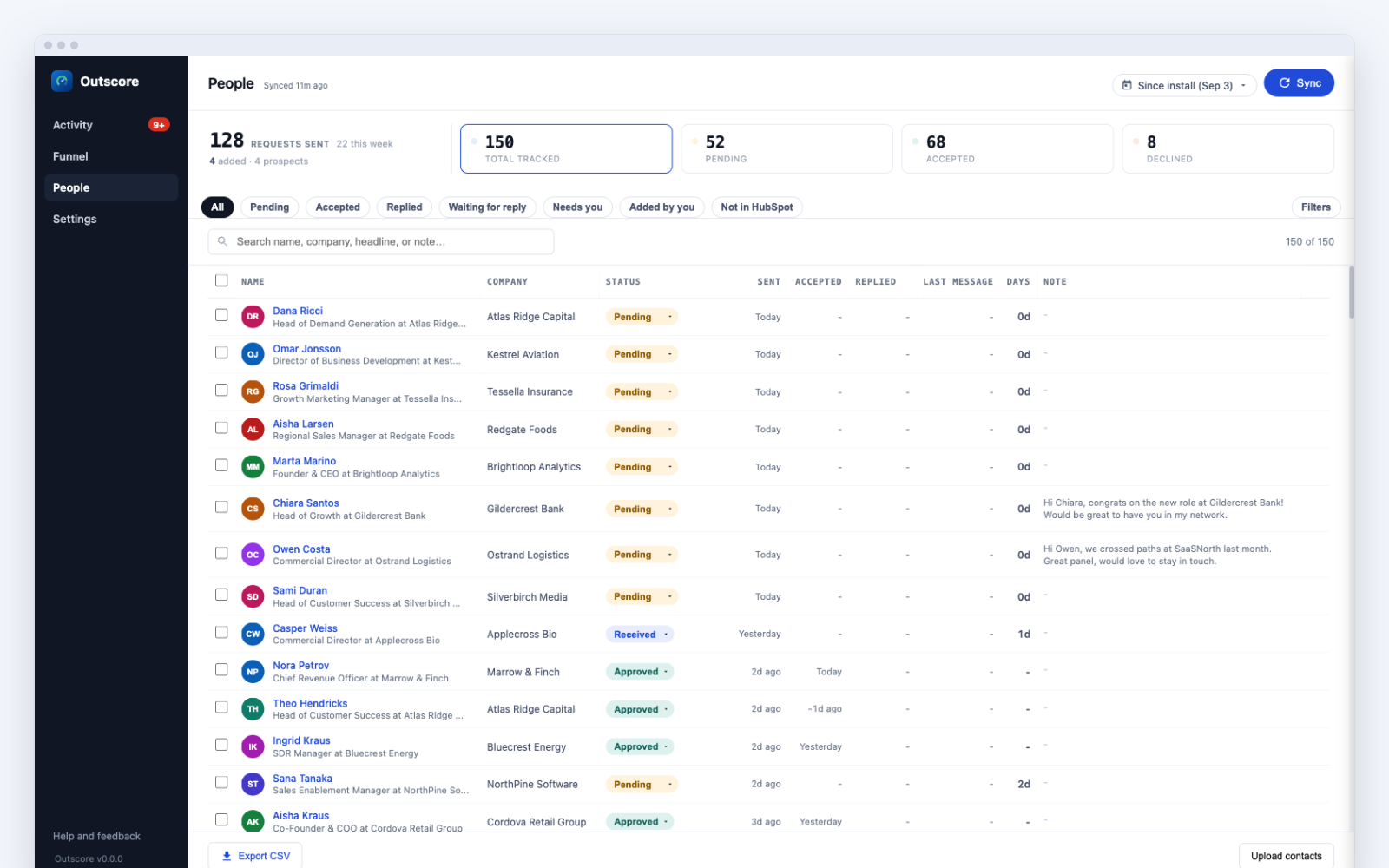
If LinkedIn outbound is part of your job, accept rate is a funnel metric like email reply rate, and it needs a source of truth. The manual way: keep a spreadsheet with prospect, company, date sent, and status, and reconcile it against the Sent tab every week, marking people who disappeared from the list as accepted or declined depending on whether they show up in your connections. It works, and it costs each rep fifteen to thirty minutes a week of cross-checking that tends to be the first thing skipped in a busy week.
Frequently asked questions
Does withdrawing a connection request notify the person?
No. LinkedIn does not notify anyone when you withdraw an invitation. The request simply disappears from their pending list. The only restriction is on your side: after withdrawing, LinkedIn blocks you from re-inviting that same person for up to three weeks.
How long do LinkedIn connection requests stay pending?
Until the recipient acts on them, you withdraw them, or LinkedIn expires them. LinkedIn states that invitations expire after six months if the recipient never responds. In practice most invitations are answered or ignored within the first two weeks.
Is there a limit on how many connection requests I can send?
Yes. LinkedIn caps weekly invitations for most accounts. The company does not publish the exact number, but most users report hitting the cap at roughly 100 to 200 invitations per week. Personalized, targeted requests make each slot count for more.
Can I see connection requests that were declined?
Not in LinkedIn itself. The Sent list only shows invitations that are still pending. Once a request is accepted it becomes a connection, and once it is declined or ignored it vanishes from the list without any record. Keeping your own log, manually or with a tracker, is the only way to see declines.
Can I see the exact date I sent each request?
Only approximately. LinkedIn shows relative times like "Sent 3 weeks ago" in the invitation manager. It never shows an exact date, and once the invitation leaves the pending list the date is gone entirely.
How do I see who I have requested to connect with on LinkedIn?
Open the Sent tab of the invitation manager at linkedin.com/mynetwork/invitation-manager/sent/. It lists everyone you have requested to connect with whose invitation is still pending. Anyone who already accepted moves to your connections, and anyone who declined or ignored you drops off with no record, so the Sent tab only ever shows the pending part of who you requested.
How do I see my sent connection requests on the LinkedIn mobile app?
Tap the My Network tab at the bottom of the app, tap Manage next to your invitations, then switch to the Sent tab. The mobile list shows the same pending-only view as desktop, with no history of accepted or declined requests.