
How to check one request in 30 seconds
- Open your Sent invitations. Go to linkedin.com/mynetwork/invitation-manager/sent/ and look for the person. If they are listed, the request is still pending and nothing has happened yet.
- If they are not listed, search your connections. Open your connections list and search their name. If they appear, they accepted, the good outcome.
- If they are in neither list, check their profile button. Visit their profile. "Pending" means it is somehow still open. A "Connect" button (or a Message/InMail option) means the request was declined, ignored, or expired.
What the button on their profile means
| Button on their profile | What it means for your request |
|---|---|
| Pending | Still waiting. They have not accepted or declined. |
| Message (and they are in your connections) | Accepted. You are connected. |
| Connect (after you already sent a request) | Declined, ignored, or expired. LinkedIn will not tell you which. |
| Message / InMail (but not connected) | The request is closed. You can pay to InMail them, but the invitation is no longer pending. |
How many of your requests were declined?
You cannot name them, but you can count them. Every request you send ends up in one of four states, and LinkedIn shows you exactly one of them. Subtract the two you can see from the total you sent, and what is left is the pile of people who said no.
The calculator also just handed you your acceptance rate, which is the more useful number long term: 30 to 45% is good for cold outreach, the largest published datasets average 26 to 30%, and below 20 to 25% LinkedIn itself starts tightening your weekly limit. The full benchmark data, seven studies side by side, is in the acceptance rate guide.
Now run that check on the other 200 requests
Thirty seconds is fine for one prospect. If LinkedIn is a step in your sequence you are sending twenty to fifty requests a week, and the same check across a month of outreach is three lookups per person with nothing to work from. LinkedIn shows you only what is still pending. The moment a request is declined it disappears, so the answer is gone before you get to it, and last week's Sent list does not exist anywhere for you to compare against.
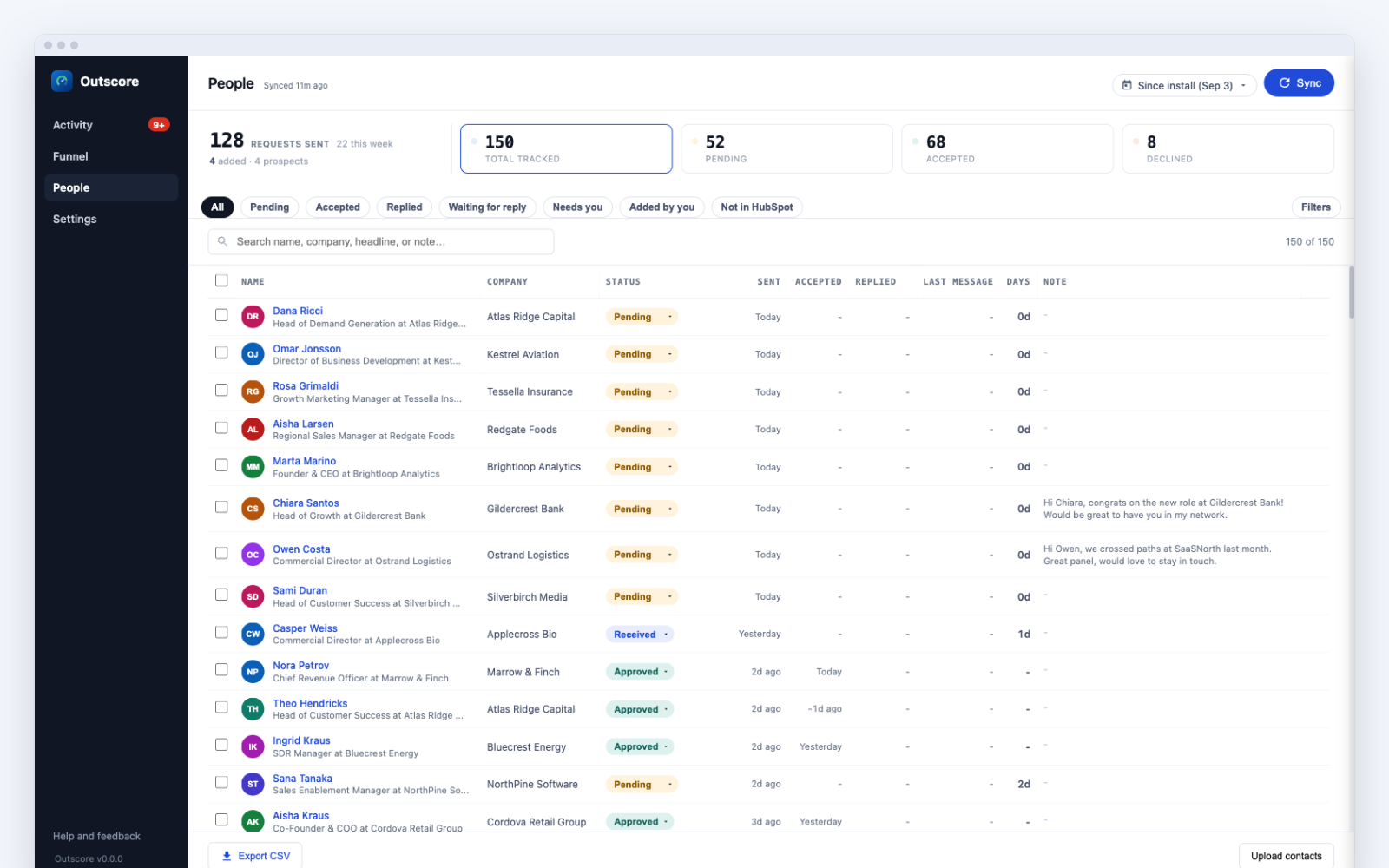
Does LinkedIn notify you when someone declines?
No. LinkedIn sends no notification, email, or message to the sender when a request is declined or ignored. When a recipient taps "Ignore", three things happen quietly: the request leaves their inbox, it eventually leaves your Sent list, and nobody is told. LinkedIn built it this way on purpose, because declining would feel rude if the other side found out.
The four signs your request was declined
Because there is no notification, you read the decline from these indirect signs. Any one of them points to a request that is no longer live:
- The Connect button reappears. On a profile where you already sent a request, "Pending" changing back to "Connect" is the clearest sign the request is closed.
- The request leaves your Sent list. It is gone from linkedin.com/mynetwork/invitation-manager/sent/, but the person is not in your connections.
- They never appear in your connections. An accepted request adds them to your network. If they are absent after the request disappeared, it was not accepted.
- An InMail or Message option replaces Pending. On some accounts, once a request is declined the profile offers to Message (via InMail) instead of showing Pending.
Declined, ignored, withdrawn, or expired: how to tell them apart
LinkedIn compresses four different outcomes into the same empty result: the request is simply gone. This is the distinction competitors skip, and it is the one that changes what you should do next.
| Outcome | Who caused it | Can you re-invite? |
|---|---|---|
| Declined or ignored | The recipient tapped Ignore on your invitation | Yes, once the Connect button returns. Add a note. |
| Withdrawn | You cancelled the invitation yourself | Not for about three weeks. LinkedIn enforces a cooldown. |
| Expired | Neither of you acted for about six months | Yes. It timed out rather than being refused. |
| Still pending | No one has acted yet | Not applicable. The request is still open. |
Unless you wrote down when you sent the request, you cannot distinguish "they said no" from "it timed out" from your own withdrawal. That ambiguity is exactly why serious outbound needs record-keeping.
Can you see a list of your declined requests on LinkedIn?
No. There is no screen, export, or report anywhere in LinkedIn that lists declined invitations, and the LinkedIn data export does not include them either. The Sent tab shows only what is still pending; the moment a request is declined it vanishes with no trace. The only way to see your declines as a list is to keep your own record, manually in a spreadsheet or automatically with a tracker.
What to do with a decline once you can see it
A decline is not a dead end, it is a routing signal. A prospect who declined should move to email or phone in your cadence instead of sitting in pending forever, and you can usually re-invite them later once the Connect button returns, with a note this time. A decline rate that climbs across a week of sending is telling you something about the request note or the targeting, not about the individual people. None of that is usable while the outcomes are invisible, which is why teams doing this seriously keep a log with prospect, date sent, and status, and update it weekly.
Frequently asked questions
Does LinkedIn notify you when someone declines your connection request?
No. LinkedIn never notifies the sender when a request is ignored or declined. The invitation just disappears from your Sent list without any message. This is a deliberate design choice to keep declining socially painless for the recipient.
Can you see who declined your connection request on LinkedIn?
Not directly, and not as a list. LinkedIn keeps no record of declined invitations anywhere in the product, including Sales Navigator and Premium. You can only infer a decline for one person at a time: the request is gone from your Sent list, they are not in your connections, and the Connect button has reappeared on their profile.
How do I know if someone declined my connection on LinkedIn?
You cannot be told directly, because LinkedIn sends no notification. You know by inference: the request has left your Sent list, the person is not in your connections, and the Connect button has reappeared on their profile (or a Message/InMail option shows instead of Pending). Those signals together mean the request was declined, ignored, or expired.
Does the Connect button reappear if someone declined my request?
Yes. Once a person ignores or declines your invitation, the button on their profile returns from "Pending" to "Connect" (or offers "Message" via InMail on some accounts). A reappeared Connect button, when you know you already sent a request, is the clearest single sign the request is no longer live.
What is the difference between a declined, ignored, withdrawn, and expired request?
Declined and ignored are the same thing from your side: the recipient chose not to accept. Withdrawn means you cancelled the invitation yourself. Expired means neither of you acted for about six months and LinkedIn closed it. All four look identical on your Sent list (the request simply vanishes), which is why the only reliable way to tell them apart is to record when you sent each one.
Can I send another request after someone declined?
Usually yes. Once the Connect button reappears you can technically re-invite them. Do it thoughtfully: add a note explaining why, or engage with their posts first. Repeated unexplained requests can lead someone to click "I don't know this person", which counts against your account.
What does it mean if my request stays pending for months?
The person has neither accepted nor declined, which usually means they rarely check LinkedIn or skimmed past your request. LinkedIn expires unanswered invitations after about six months. Withdrawing requests older than a month or two and re-targeting is generally more productive than waiting.